WordPress is an open source content management system (CMS) used to build and manage websites without requiring users to have in-depth programming knowledge. WordPress supports many different types of websites, from personal blogs and corporate sites to news portals and e-commerce platforms.
Thanks to its user-friendly interface, its large ecosystem of plugins and themes, and its high degree of customizability, WordPress has become one of the most popular website-building platforms on the internet.
According to W3Techs statistics updated on 25 August 2026, WordPress powers 40.7% of all websites worldwide and holds a 58.9% share among websites that use a CMS.
This popularity is exactly what makes WordPress such an appealing target for hackers. According to a Wordfence report, in 2024 Wordfence’s systems recorded more than 54 billion malicious requests directed at WordPress websites and detected nearly 1 million infected sites. At one point, roughly 325,000 to 350,000 WordPress websites were infected with malware every day. These figures illustrate just how significant the risk is, and why proactively defending against website hacking cannot be postponed.
Although WordPress is built to a high security standard and is regularly audited by hundreds of developers, most security vulnerabilities do not originate from the platform itself. Instead, they come from external factors:
Most website compromises stem from using WordPress core, plugin, or theme versions that contain unpatched vulnerabilities. When a developer releases a security update but the site owner fails to install it in time, that vulnerability becomes an open door for hackers to exploit. Discovering a zero-day vulnerability in a popular plugin is even more dangerous, since no official patch exists yet at the time it is exploited.
The risk increases further when using nulled (cracked) plugins or themes downloaded from unofficial sources. These files often contain injected malicious code that lets hackers take over a website as soon as it is activated, regardless of any other security measures in place.
WordPress’s default wp-admin login page does not limit the number of failed login attempts, which makes it easy for hackers to run large-scale automated password-guessing attacks. When an administrator uses a simple, easy-to-guess password or reuses the same password across multiple accounts, the chances of the account being compromised increase significantly.
Granting overly broad read and write permissions to files and directories on the server makes it easier for hackers to inject malicious code into the system, even after gaining access to only a small part of the website. Hosting configurations that fail to isolate different websites on the same server can also mean that a single compromised site puts the entire shared-resource system at risk.
The WordPress core team regularly releases updates to patch newly discovered security vulnerabilities. Websites running outdated WordPress core versions, especially versions that are no longer supported, are consistently among the top targets for the automated vulnerability scanners hackers use to find easy targets.
Many WordPress websites lack continuous security monitoring tools, which means unusual activity, such as logins from unfamiliar IP addresses, changes to system files, or the creation of new administrator accounts, often goes undetected as it happens. The longer the gap between a breach and its detection, the more the damage tends to spread, since hackers have more time to plant additional malicious code or expand their control over the system.
A brute force attack is when a hacker uses automated tools to try large numbers of username and password combinations until the correct one is found. On WordPress websites that do not limit failed login attempts, a hacker can run thousands of attempts in a short period without being blocked.
SQL injection lets a hacker insert malicious database queries through input fields (for example, a contact form) that are not properly validated, allowing them to steal or alter website data.

XSS, on the other hand, exploits a vulnerability that allows malicious script code to be injected into a web page and executed directly in a visitor’s browser, letting an attacker steal session information or spread malware.
A DDoS attack overloads a system with a large volume of fake traffic, preventing a WordPress website from serving genuine users. Types of DDoS attacks have grown increasingly diverse, ranging from network-layer attacks to application-layer attacks that target WordPress’s processing logic directly, making manual defense increasingly difficult.

Hackers often plant malware, including website viruses, trojans, worms, or ransomware, into WordPress system files or the database without the business’s knowledge. Once they gain access, they typically install a backdoor that lets them return to the website without going through normal authentication.
This lets attackers distribute malicious code to visitors or turn the website into a tool for sending spam email. This type of attack is often hard to detect visually, since the malicious code can be disguised inside files that look like legitimate system files.
Phishing scams occur when a hacker fakes the wp-admin login interface or a WordPress notification email to trick an administrator into entering their account credentials. Once login credentials are stolen through phishing, hackers can take over the website without exploiting any technical vulnerability at all.
VNETWORK’s WAF Free can block attacks right at the network and application layers, without requiring manual changes to individual plugins.
A proactive layer of defense at the network and application level helps prevent these consequences from happening in the first place, rather than only responding after an incident has already occurred.
Detecting unusual signs early lets a business respond before the damage spreads. Some common signs that a WordPress website has been compromised include:
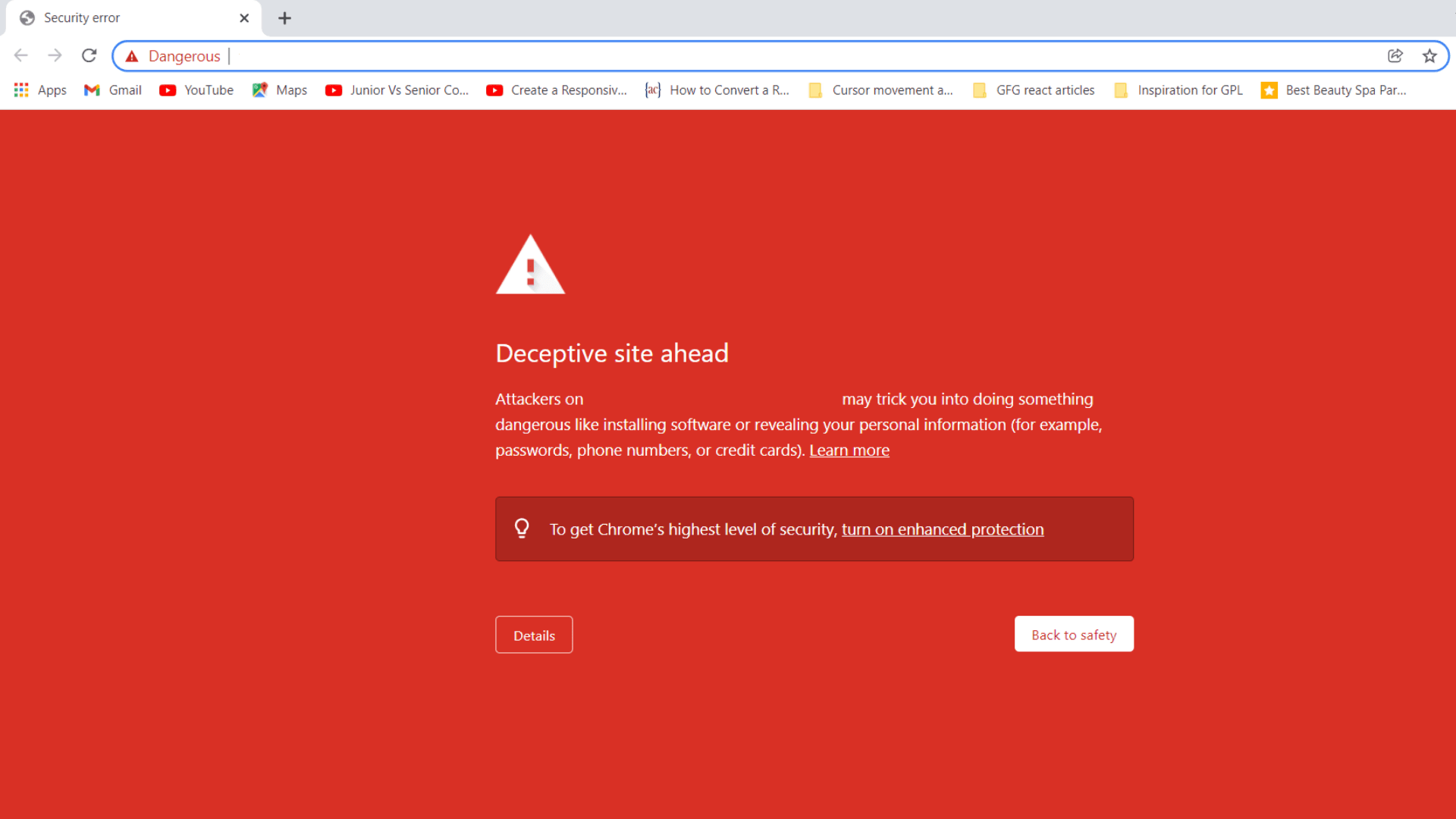
Administrator accounts are among the most common targets for attackers. Using a strong password with at least 12 to 16 characters, combining uppercase and lowercase letters, numbers, and special characters, is a basic step to reduce the risk of password guessing.
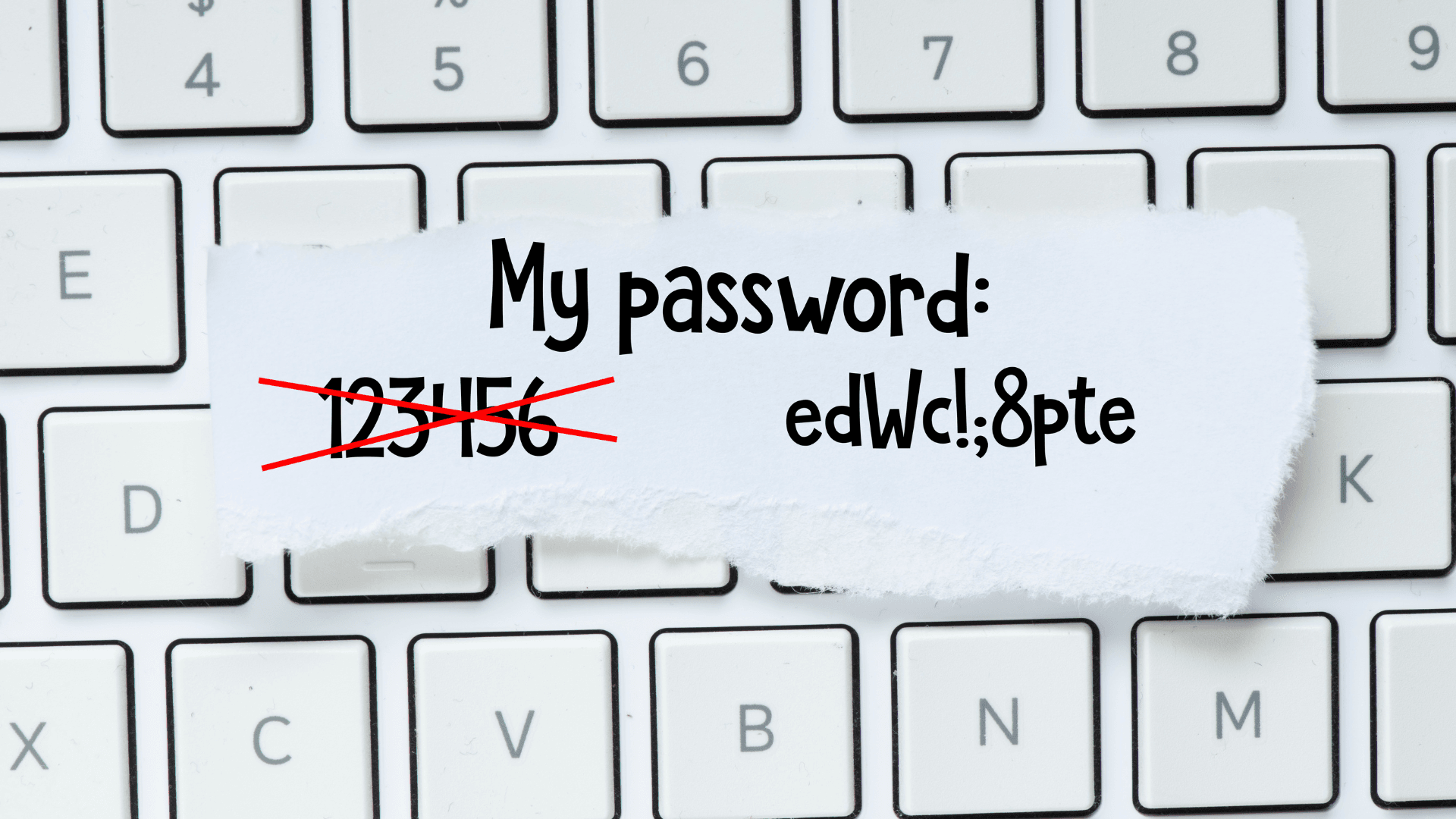
In addition, administrators should limit the number of failed login attempts and apply a lockout or delay mechanism when repeated authentication failures are detected.
Administrator access should also only be granted to those who genuinely need it. For team members who only need to publish or manage content, appropriate roles such as Editor or Author should be used instead of granting full administrator rights. Applying the principle of least privilege helps limit the scope of damage if an account is compromised.
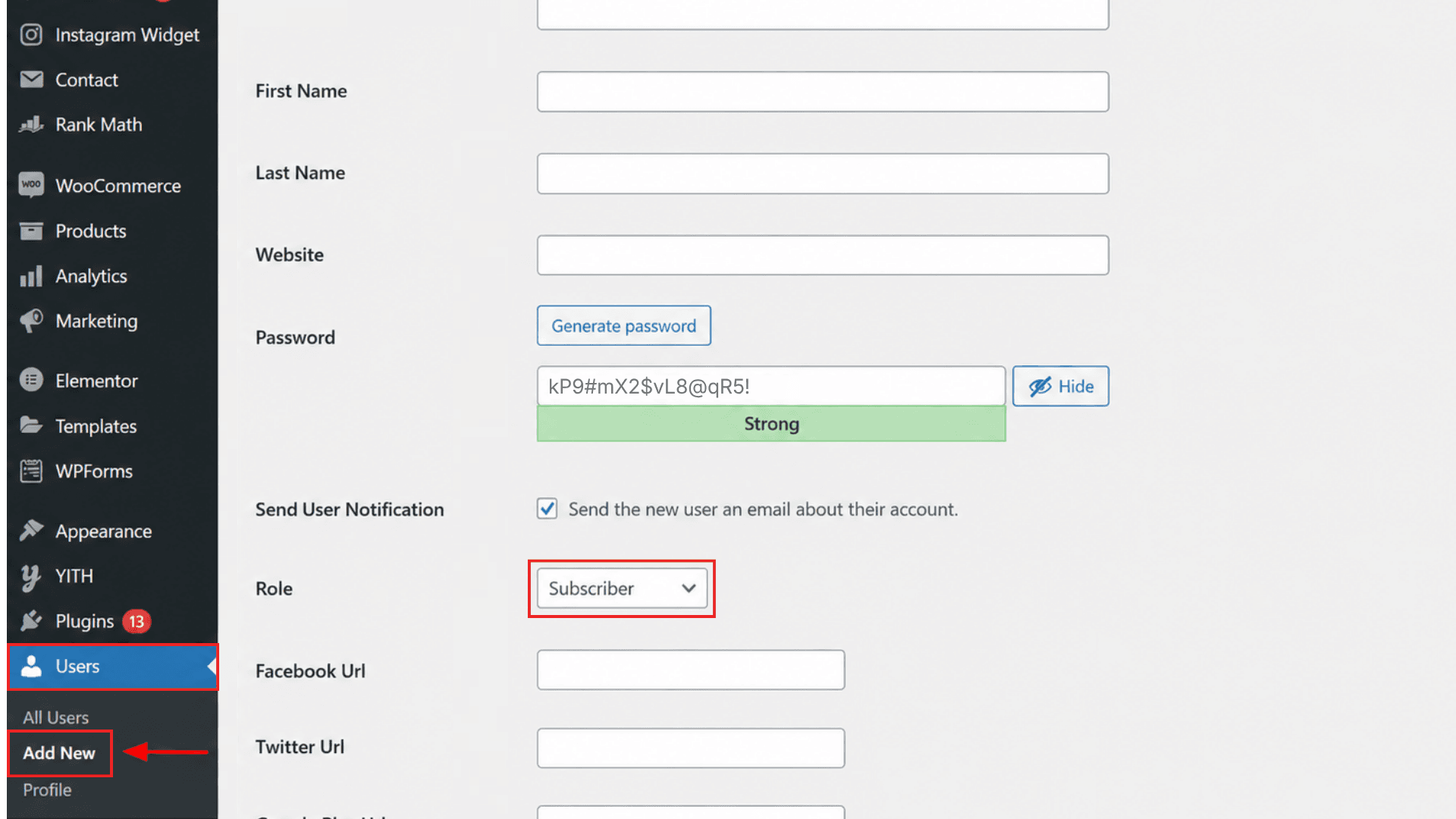
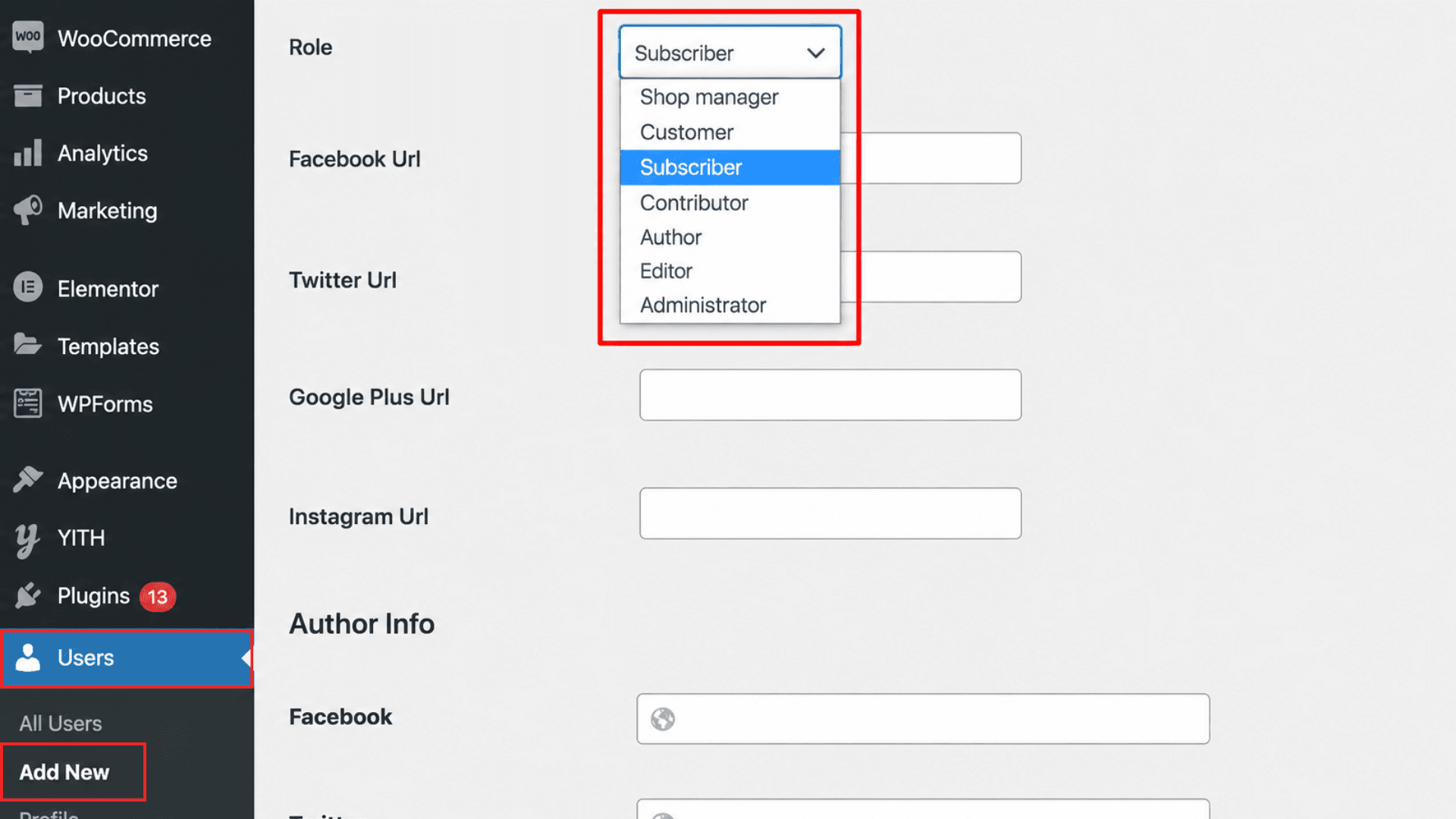
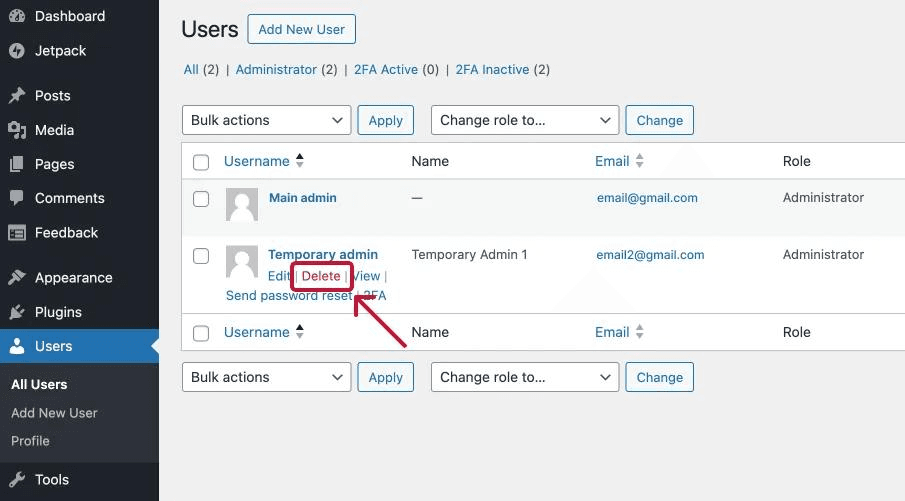
Unused accounts that remain active can become a weak point if their credentials are ever leaked. Regularly review the user list and remove old, inactive accounts.
Enabling two-factor authentication (2FA) for all administrator accounts helps prevent unauthorized access even if a password is leaked. At login, users must provide an additional verification code generated by an authenticator app or another verification method.
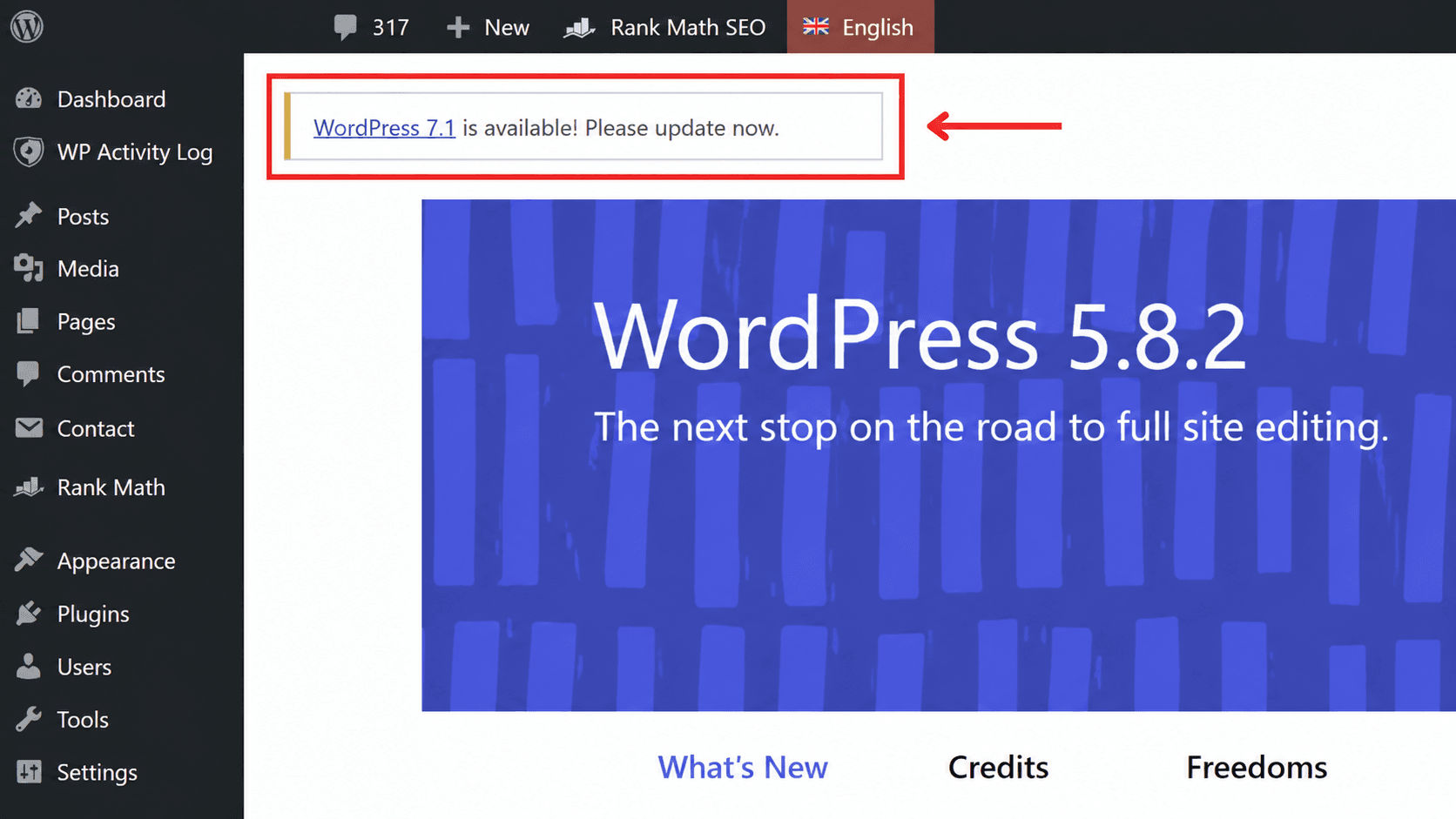
New WordPress releases typically include security patches, bug fixes, and performance improvements. Continuing to run an old version can make a website a target for attacks that exploit already-disclosed vulnerabilities.
Regularly check for and update WordPress core to the latest version. Themes and plugins should also be kept up to date to reduce the risk of exploitation through outdated components.
No security measure can guarantee absolute safety. That’s why backups are a critical layer of protection that allows a website to recover quickly after an incident.
Back up both the WordPress source code and the database on a regular schedule. For important or frequently updated websites, consider setting up automated backup schedules.
It’s also essential not only to back up data but also to test the restore process, to make sure backups actually work when they’re needed.
Displaying PHP error messages helps administrators and developers diagnose issues. However, it can also inadvertently expose system information such as file paths, directory structure, source code, or server configuration.
To disable PHP error display, open the wp-config.php file through File Manager and add the following configuration:
error_reporting(0);
@ini_set('display_errors', 0);
In a development environment where error messages are useful, these lines can be replaced with:
define('WP_DEBUG', true);
define('WP_DEBUG_DISPLAY', true);
Regularly review and remove unused, outdated themes and plugins, or ones no longer supported by their developer. These components can contain security vulnerabilities and become a weak point attackers can exploit.
It’s also essential to never use nulled or unverified themes and plugins. These versions may contain injected malicious code, backdoors, or tracking scripts, creating a risk of a compromised website, stolen data, or redirected visitors.
When installing new components, prioritize themes and plugins from official sources and reputable developers who release regular updates.
WordPress security shouldn’t focus only on what happens inside the website. A layer of protection in front of the server, such as a Web Application Firewall (WAF), can filter and control traffic before requests ever reach the application.
A WAF can identify and block many common types of malicious traffic, including SQL injection, cross-site scripting (XSS), web application vulnerability exploitation, and automated attack behavior.
For WordPress specifically, a WAF adds an outer layer of protection that’s especially useful when a website is running a vulnerable plugin or theme that hasn’t yet been updated or patched.
Businesses can get started today with the WAF Free plan, at no cost, easy to integrate, and ready to be upgraded to more comprehensive protection plans as traffic grows.
By default, WordPress allows administrator accounts to directly edit theme and plugin source code through the dashboard. If an administrator account is compromised, an attacker can use this feature to inject malicious code into the website.
To disable this feature, open the wp-config.php file and add the following code:
define( 'DISALLOW_FILE_EDIT', true );
To re-enable this feature, go to the hosting control panel → File Manager, open wp-config.php, and change the value from true to false:
define( 'DISALLOW_FILE_EDIT', false );
After saving the change, the theme and plugin editing feature in the WordPress dashboard will be re-enabled.
For WordPress websites running on Apache, the .htaccess file can be used to set up additional protection rules.
For example, administrators can use .htaccess to restrict access to sensitive files such as wp-config.php, or to prevent PHP files from executing in certain unnecessary directories.
However, exercise caution when editing .htaccess, since a misconfiguration can break the website. Back up the file before making changes and check the site afterward to confirm everything is working.
By default, WordPress uses wp_ as the prefix for its database tables. Changing this prefix to something else can reduce the effectiveness of automated attacks that rely on guessing WordPress’s default table names, adding an extra layer of security.
Note: Before changing the prefix on a live website, back up the entire database. Doing this incorrectly can cause WordPress to lose track of data, accounts, or admin permissions.
Open wp-config.php and find the line:
$table_prefix = 'wp_';
Change it to a new prefix, for example:
$table_prefix = 'wp_123456_';
Access phpMyAdmin, open the website’s database, and rename the WordPress tables from the old wp_ prefix to the new wp_123456_ prefix.
For example:
wp_posts → wp_123456_posts
wp_users → wp_123456_users
wp_options → wp_123456_options
wp_usermeta → wp_123456_usermeta
wp_comments → wp_123456_comments
wp_terms → wp_123456_terms
You can rename the tables directly in phpMyAdmin or use the SQL RENAME TABLE statement.
After renaming the tables, update any values still using the old prefix in the usermeta table. This is especially important so that WordPress continues to correctly recognize account information and user permissions.
For example:
UPDATE wp_123456_usermeta
SET meta_key = REPLACE(meta_key, 'wp_', 'wp_123456_');
Next, check the wp_123456_options table and confirm that data related to user roles uses the new prefix.
For example:
wp_user_roles → wp_123456_user_roles
This ensures WordPress continues to correctly recognize user roles and capabilities, especially for the Administrator account.
Once everything is complete, check the entire website thoroughly.
With more than 13 years in operation, VNETWORK is proud to be a leading cybersecurity and digital infrastructure provider in Vietnam. VNETWORK is a trusted partner to more than 2,000 businesses across sectors including finance, banking, entertainment, and education. With a deep understanding of the operational mindset and unique security pressures businesses face, VNETWORK built the VNIS solution to protect WordPress websites.
VNIS (VNETWORK Internet Security) is a security and acceleration solution built on VNETWORK’s two-layer Web/App/API protection model:
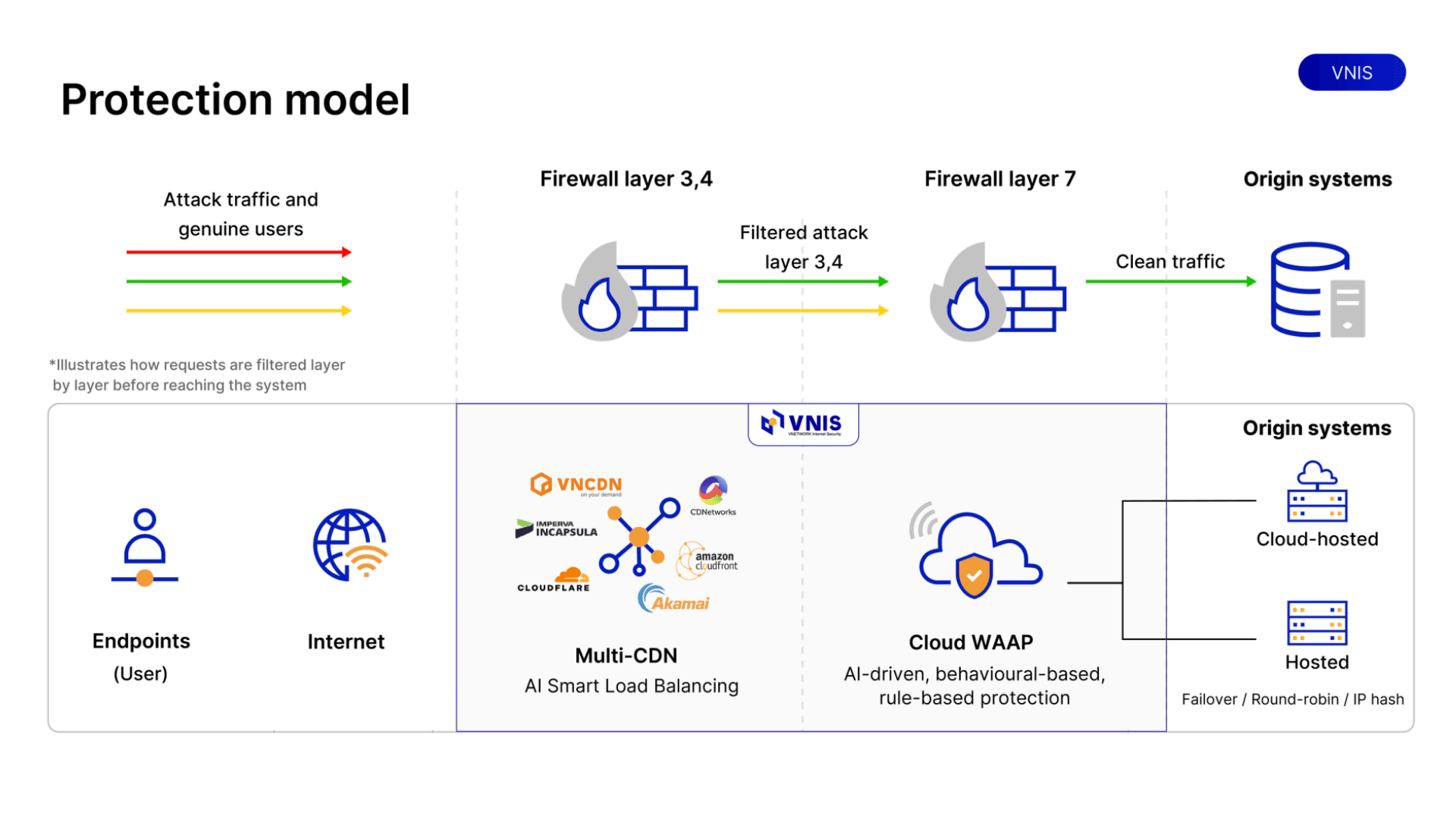
Securing a WordPress website is an ongoing process, not a one-time task. From updating plugins and managing passwords to running regular data backups and adding advanced security solutions like WAAP and Anti-DDoS, every layer of defense helps reduce risk for the website. For businesses that need comprehensive protection against network and application-layer attacks, VNIS is a solution worth considering as a long-term partner for a WordPress website.
Businesses don’t need to wait for a large budget to get started, they can begin today with the WAF Free plan in the VNIS ecosystem: free, easy to integrate, and ready to be upgraded to more comprehensive protection plans as traffic grows.
Free security plugins handle basic threats like brute force attempts or simple malware scans reasonably well, but they generally can’t withstand large-scale DDoS attacks or sophisticated application-layer attacks. For high-traffic websites or those handling sensitive data, it’s worth pairing them with a dedicated infrastructure-level security solution.
Start by updating WordPress core, plugins, and themes to their latest versions, and set up strong passwords with two-factor authentication for administrator accounts. These are low-cost measures that block most of today’s most common attacks.
Backup frequency should be based on how often the website’s content changes. For e-commerce sites or ones with daily content updates, automated daily backups are recommended. For sites that change less often, weekly backups are the minimum you should maintain.
Common signs include unusually slow load times, unfamiliar administrator accounts, unrecognized files or plugins on the system, browser or search engine warnings that the site is unsafe, or unexplained traffic spikes.
Some misconfigured security plugins, or running multiple scanning layers at once, can slow a website down. However, well-optimized security solutions, especially ones built on a CDN like VNIS, tend to improve load speed rather than slow it down, thanks to their ability to filter malicious traffic at the network edge before it ever reaches the origin server.
Small businesses can still be attack targets, especially if they collect customer data or process online transactions. Investing in a WAF solution that fits the budget, even at a basic tier, significantly reduces the risk of exploitation compared with relying on manual security measures alone.