
What is SPF?
SPF (Sender Policy Framework) is a domain based email authentication method that allows domain owners to specify which mail servers are authorized to send email on behalf of their domain. SPF operates through a TXT record published in the Domain Name System. When an email is sent, the receiving mail server checks whether the sending IP address is permitted according to the domain’s SPF record.
How does SPF work?
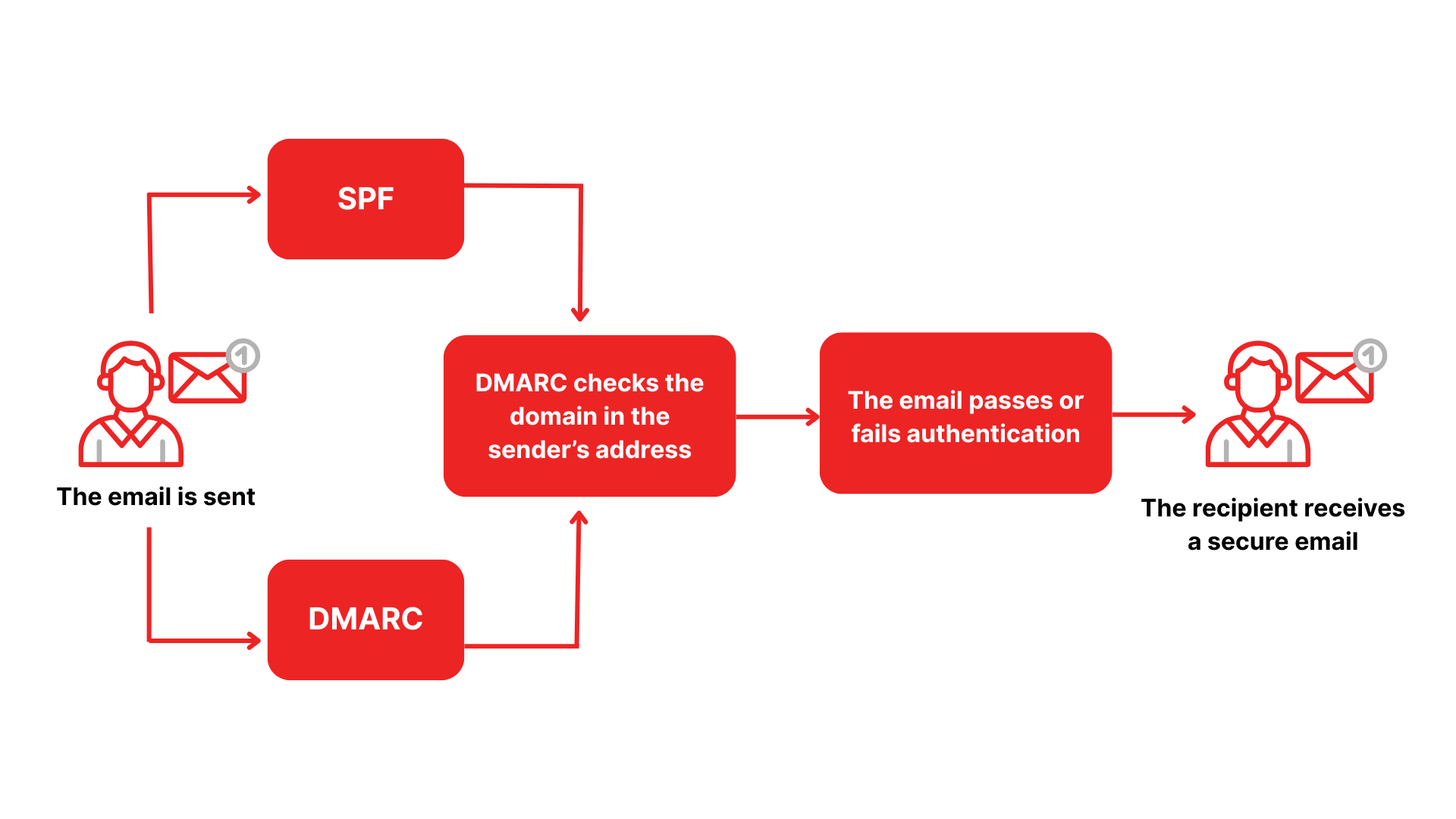
SPF is an email authentication mechanism that helps receiving mail servers determine whether an email truly originates from an authorized sending server. When an email is delivered, the recipient’s email system queries the sender domain’s SPF record in DNS to verify whether the message is legitimate.
Conceptually, SPF functions like a whitelist that declares which mail servers are allowed to send email on behalf of a domain. Any server not listed is treated as unauthorized.
The SPF validation process typically follows these steps:
Email is sent
When an email is sent from a business domain, the sending system packages the message and includes information about the sending mail server such as IP address or email service provider.
Receiving server checks the sender domain DNS
Upon receiving the email, the recipient mail server automatically queries the sender domain’s DNS to locate the SPF record. This record is published as a TXT record and often follows a structure such as:
v=spf1 include:_spf.google.com ~all
Sender information is matched against the SPF record
The receiving server compares the sending IP or service against the authorized sources defined in the SPF record.
If the IP matches an authorized sender, the email is considered legitimate and is more likely to be delivered to the inbox.
If the IP is not listed, the email may be flagged as spam, marked as spoofing, or rejected entirely.
Trust level is evaluated based on SPF policy
Depending on the SPF policy applied, email handling becomes stricter or more permissive.
-all results in full rejection of unauthorized senders
~all indicates a soft failure and may route email to spam
?all performs checks but does not enforce blocking
Why should organizations implement SPF?
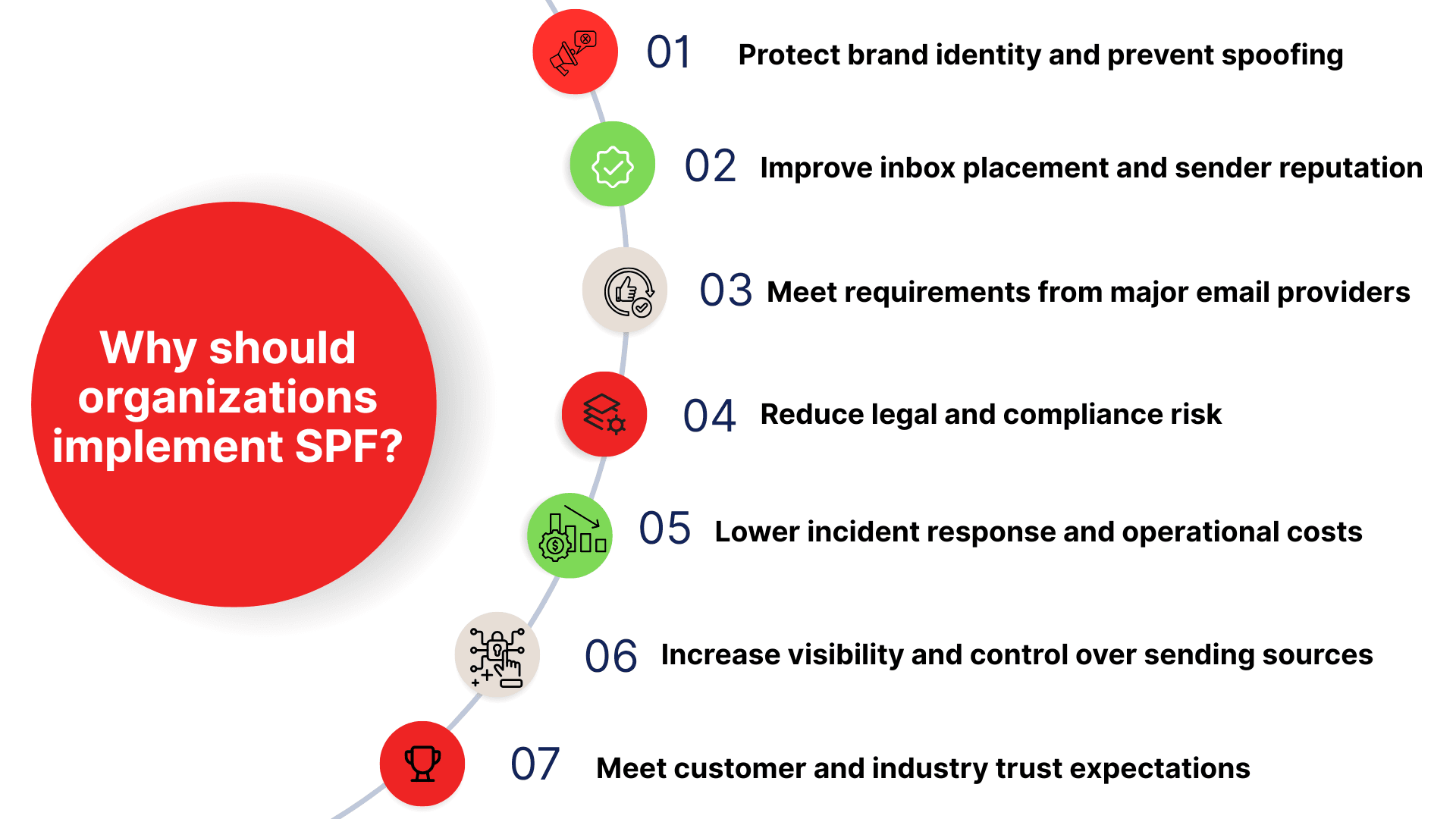
Protect brand identity and prevent spoofing
Attackers frequently impersonate corporate domains to send fraudulent emails aimed at stealing funds, credentials, or sensitive data. Proper SPF configuration allows receiving servers to verify whether an email originates from an authorized system. This significantly reduces spoofing risk and protects brand reputation from phishing and business email compromise attacks.
Improve inbox placement and sender reputation
Major email providers such as Google, Yahoo, and Microsoft rely on SPF signals to evaluate email trustworthiness. When SPF authentication passes, emails have a higher chance of reaching the inbox rather than spam folders. While SPF alone does not guarantee inbox placement, it forms one of the three core authentication pillars alongside DKIM and DMARC that collectively optimize email deliverability.
Meet requirements from major email providers
Many global email platforms now require SPF authentication as a baseline standard. Domains without SPF or with misconfigured records face increased risk of message blocking or spam filtering. This directly impacts sales communications, customer support, and internal operations. SPF is no longer optional but a mandatory standard for organizations that rely on email.
Reduce legal and compliance risk
In regulated industries such as finance, insurance, and healthcare, phishing related incidents can trigger investigations, penalties, or liability claims. SPF is considered a reasonable security control that demonstrates due diligence and helps reduce organizational responsibility during email related incidents.
Lower incident response and operational costs
SPF helps identify spoofing and abnormal sending behavior at the earliest stage of email delivery. This allows IT and security teams to isolate issues faster, shorten investigation time, and minimize business impact.
Increase visibility and control over sending sources
Implementing SPF requires organizations to inventory all systems that send email on behalf of the domain. This includes email marketing platforms, CRM systems, SMTP servers, internal applications, and SaaS services. The review process provides clear visibility into the email ecosystem, eliminates unused services, reduces security gaps, and prevents attackers from exploiting forgotten systems.
Meet customer and industry trust expectations
Customers increasingly expect safe and trustworthy email communication. SPF represents a foundational security standard that demonstrates an organization’s commitment to protecting digital identity. Proper SPF deployment also enhances credibility with partners, particularly financial institutions and international organizations.
Is SPF difficult to implement?
In theory, SPF is straightforward. It defines which mail servers are authorized to send email for a domain. In practice, however, implementation can be complex. Common challenges include:
Strict and error prone syntax
SPF is configured as a DNS TXT record with strict syntax requirements. A missing character, incorrect order, or extra space can invalidate the entire record, causing legitimate emails to be rejected or sent to spam. Organizations without email infrastructure expertise often struggle with these details.
Complex rule structure
SPF is not just a list of IP addresses. Records can include multiple mechanisms such as:
- Authorized IP addresses or ranges
- References to other DNS records using a or mx
- Include directives that reference SPF records managed by third party services
For example, organizations using Google Workspace must add include:_spf.google.com to allow Google services to send email on their behalf. As more third party email services are added, maintaining an accurate SPF record becomes increasingly complex.
Ongoing maintenance requirements
SPF is not a set and forget configuration. Any time a new sending service is added or removed, the SPF record must be updated. Failure to do so results in delivery issues or increased spoofing risk.
How to configure SPF correctly
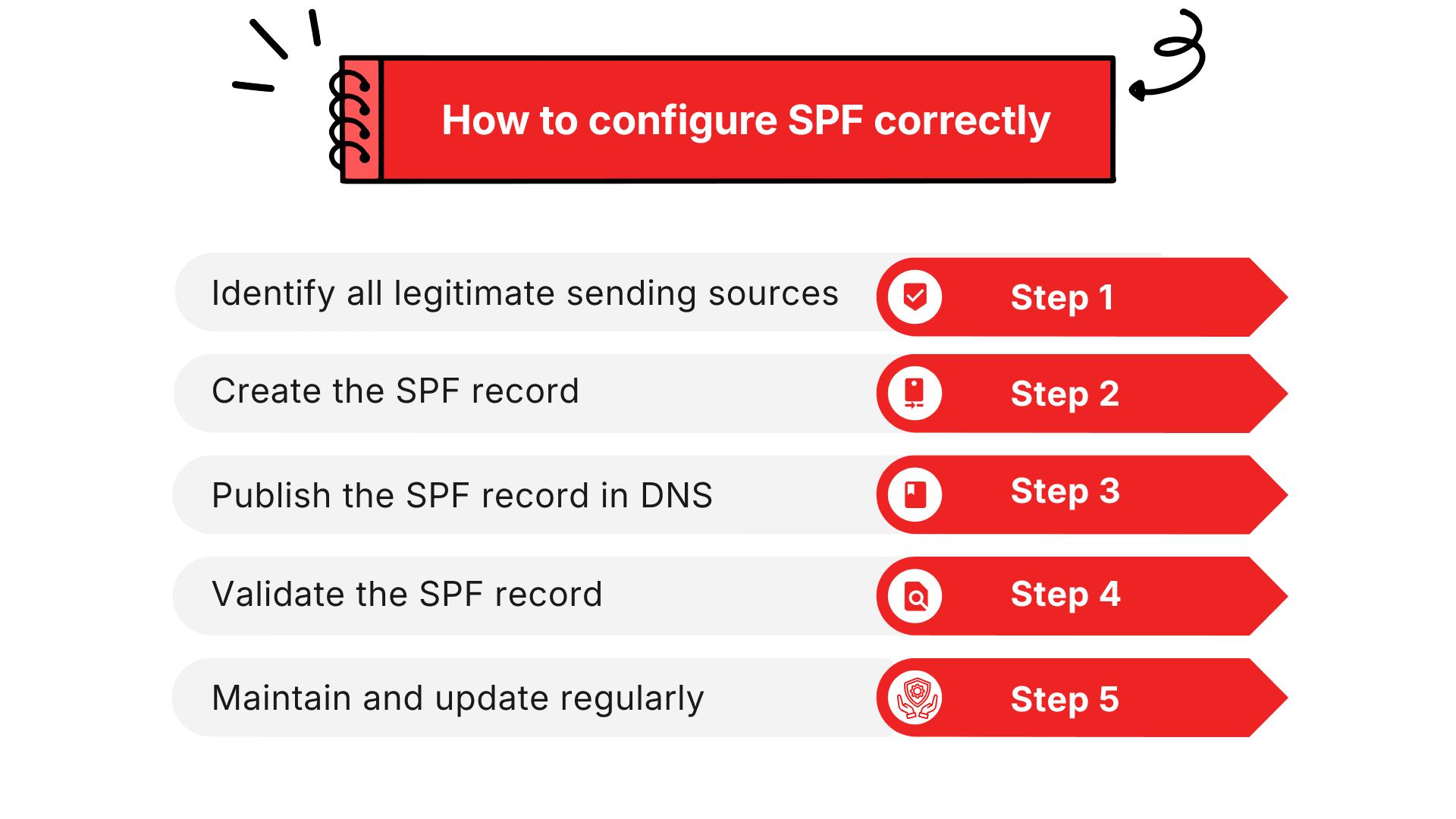
Step 1: Identify all legitimate sending sources
List all platforms that send email on behalf of the domain such as Google Workspace, Microsoft 365, Salesforce, SendGrid, HubSpot, MailerLite, and on premise SMTP servers. Missing any sender may cause legitimate email to be rejected.
Step 2: Create the SPF record
SPF is published as a DNS TXT record. The basic structure includes:
- v=spf1 to declare the SPF version
- Add corresponding mechanisms for each sending source:
- include mechanisms for third party platforms
- ip4 or ip6 for specific sending IP addresses
- mx or a for internal mail servers
- ~all during testing and monitoring phases or -all once configuration is stable to fully block unauthorized senders
Step 3: Publish the SPF record in DNS
Access the domain’s DNS management system and add a TXT record with values such as:
- Type TXT
- Name @
- Value v=spf1 include:spf.protection.outlook.com mx ~all
After saving, the DNS will publish the record so that other email servers can verify it.
Step 4: Validate the SPF record
Use SPF checking tools or send test emails and inspect the Authentication Results in email headers to confirm SPF passes.
Step 5: Maintain and update regularly
Update SPF whenever sending systems change. Ensure the record does not exceed the 10 DNS lookup limit. Perform periodic audits to prevent syntax errors or conflicts.
Common SPF errors and how to fix them
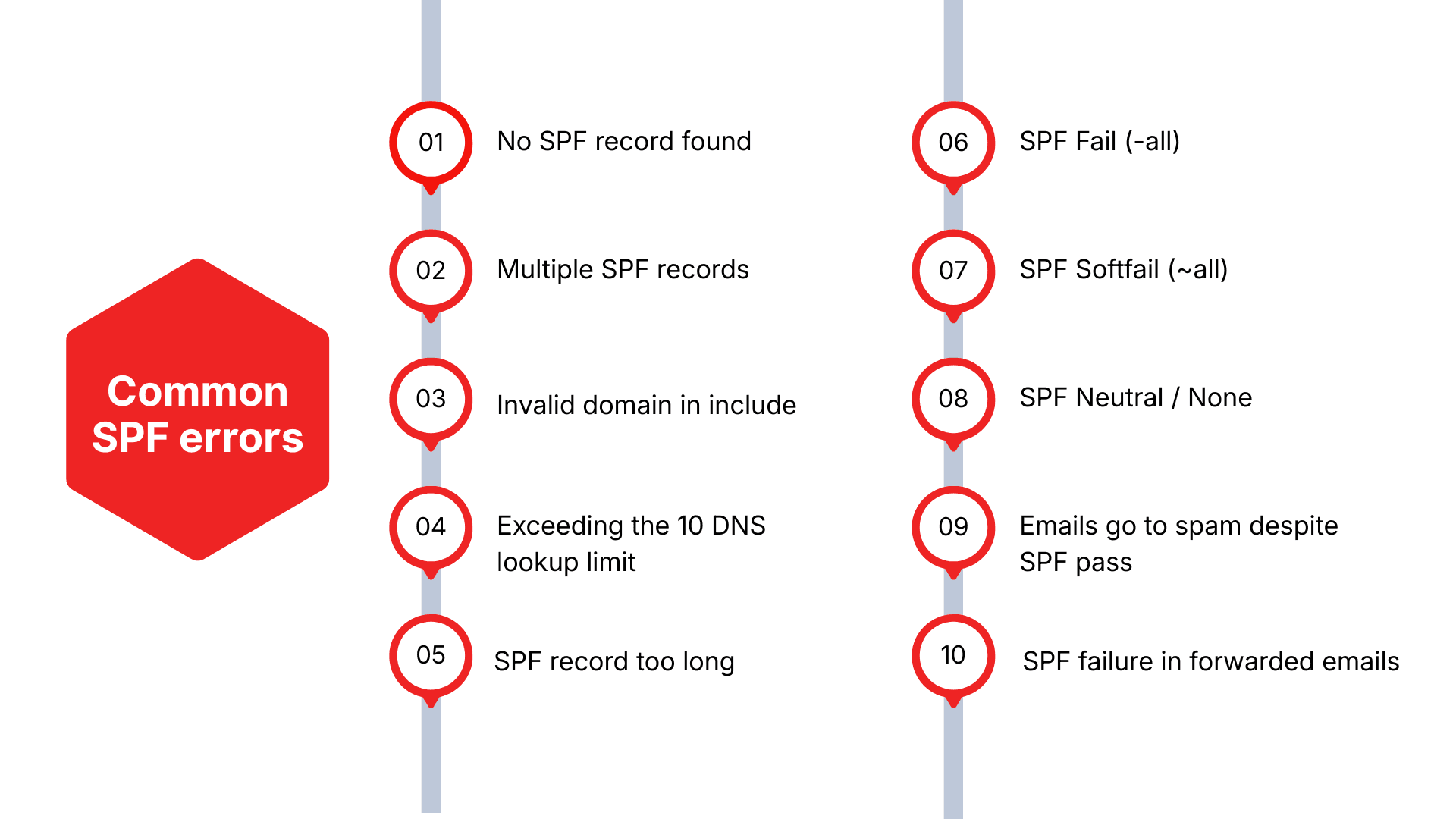
No SPF record found
- Cause: The domain has not been configured with a TXT record containing an SPF policy in DNS.
- Impact: High risk of domain spoofing. Emails may be marked as spam or blocked by receiving servers.
- Resolution: Identify all legitimate sending sources used by the organization. Create a minimal SPF record, for example v=spf1 include:_spf.example.com ~all. Publish the TXT record in DNS and verify after DNS propagation. Validate using an SPF checker tool.
Multiple SPF records
- Cause: Multiple TXT records contain SPF policies because new records were added instead of updating the existing one.
- Impact: Violation of RFC standards, as only one SPF record is permitted per domain. This can trigger a PermError and result in email rejection.
- Resolution: Consolidate all SPF mechanisms into a single SPF record. Review the total number of DNS lookups to ensure the limit is not exceeded.
Invalid domain in include
- Cause: The domain referenced in the include mechanism does not have a valid SPF record or was entered incorrectly.
- Impact: SPF evaluation fails and emails may be considered invalid.
- Resolution: Recheck the include syntax. Ensure the referenced domain publishes a valid SPF record. Correct any typographical or reference errors.
Exceeding the 10 DNS lookup limit
- Cause: Excessive use of mechanisms such as include, a, mx, or exists causes the SPF evaluation to exceed the maximum of ten DNS lookups.
- Impact: SPF returns a PermError and emails may be rejected.
- Resolution: Audit the entire include chain and remove unnecessary nested includes. Optimize the SPF record or use automated SPF optimization services when appropriate.
SPF record too long
- Cause: The TXT record exceeds 255 characters or contains too many sending sources.
- Impact: The record may not be accepted or may cause validation errors.
- Resolution: Split the SPF record into multiple quoted strings. Remove obsolete email sending services to shorten the record. Restructure the SPF policy to reduce overall length.
SPF Fail (-all)
- Cause: The sending source is not authorized in the SPF record.
- Impact: Emails are fully rejected by the receiving mail server.
- Resolution: Add the appropriate IP address or include mechanism for the missing sending source. Review mail logs to identify unauthorized senders.
SPF Softfail (~all)
- Cause: The sending source is not fully authorized, but the receiving system allows delivery with a warning.
- Impact: Emails are more likely to land in spam folders or be flagged as suspicious.
- Resolution: Complete the list of authorized sending sources. Transition from tilde all to all after thorough validation.
SPF Neutral / None
- Cause: The SPF record does not define a clear policy for unauthorized sending sources.
- Impact: Weak security signaling and increased risk of domain spoofing.
- Resolution: Update the policy to tilde all or all once the SPF record is properly defined.
Emails go to spam despite SPF pass
- Cause: SPF passes, but other authentication mechanisms such as DKIM or DMARC are missing, the sending IP or domain has low reputation.
- Impact: Emails are marked as spam even though SPF validation succeeds.
- Resolution: Deploy the full email authentication stack including SPF, DKIM, and DMARC. Monitor IP and domain reputation and optimize sending frequency.
SPF failure in forwarded emails
- Cause: SPF does not work effectively in forwarding scenarios because the sending IP address changes.
- Impact: Legitimate emails may be incorrectly flagged or rejected.
- Resolution: Recommend the use of Sender Rewriting Scheme. Ensure emails are signed with DKIM by the original sending system to preserve authentication integrity.
Risks and limitations of SPF
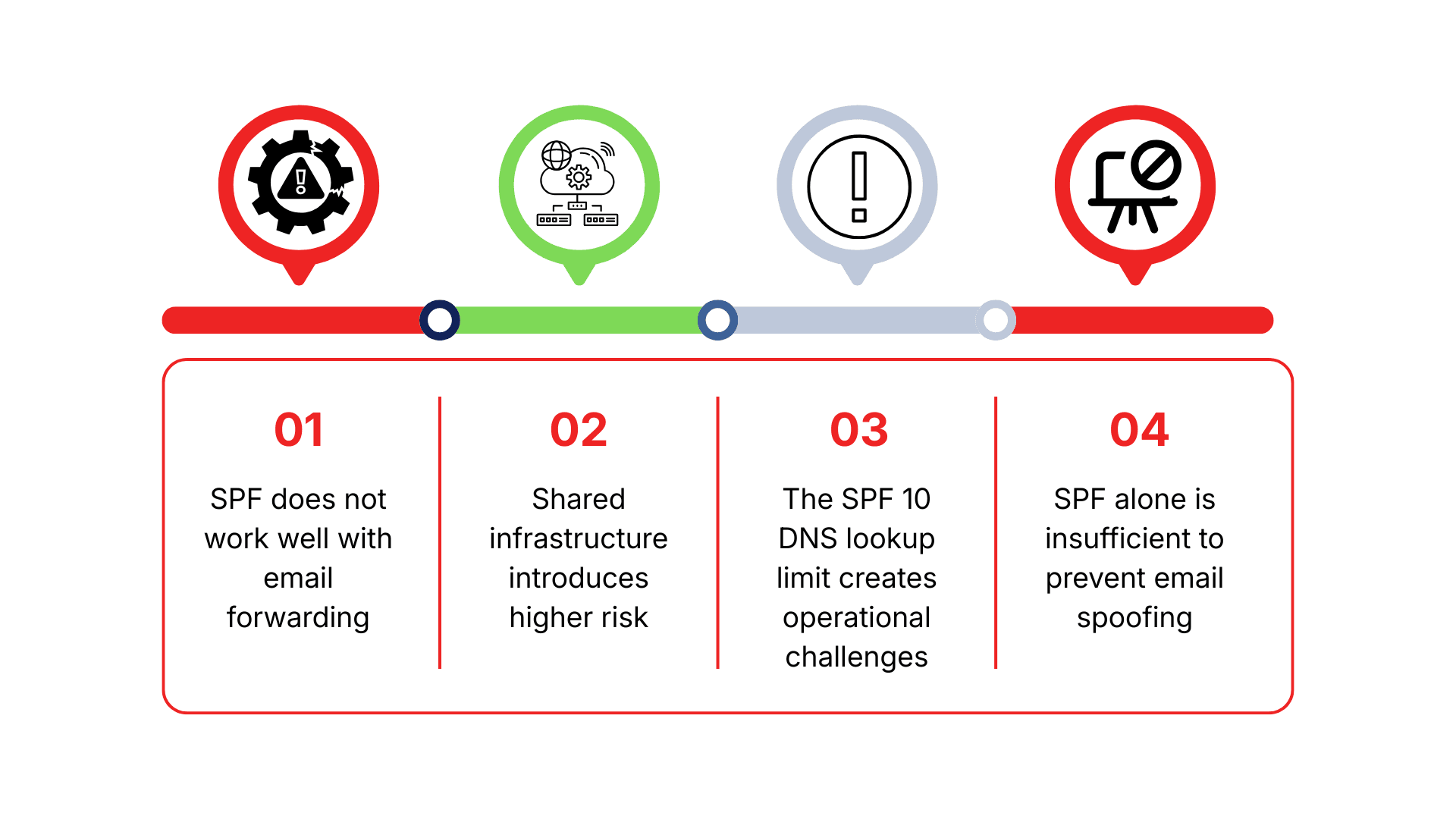
SPF does not work well with email forwarding
One of the most significant limitations of SPF is its inability to properly handle email forwarding. SPF validation is based on the IP address of the final sending mail server. When an email is forwarded through an intermediary system, the final sending IP no longer belongs to the original sender.
As a result, legitimate emails may fail SPF checks because, from the receiving server’s perspective, the message appears to originate from the forwarding server rather than the original sending infrastructure. This often causes valid emails to be marked as spam or rejected entirely, even though the sender has not violated any policies.
Shared infrastructure introduces higher risk
Many enterprises rely on cloud email services such as Mailchimp, SendGrid, or other SaaS platforms. These services operate on shared IP infrastructure, meaning multiple customers send email from the same IP ranges.
When an organization adds a provider’s IP range to its SPF record, it effectively authorizes that entire range to send email on behalf of the domain. However, other customers using the same IPs may also be able to send email that appears to originate from the organization’s domain if the system is abused. SPF has no mechanism to distinguish the legitimate domain owner from other tenants sharing the same IP space. This creates a risk of domain impersonation even when SPF validation passes.
The SPF 10 DNS lookup limit creates operational challenges
SPF enforces a strict limit of 10 DNS lookups during evaluation. In practice, modern enterprises typically use multiple email sending services such as Google Workspace, Microsoft 365, Salesforce, and marketing automation platforms. Each service may require between one and four DNS lookups through include mechanisms, which often contain nested includes.
For example, include:_spf.google.com alone can generate up to four DNS lookups. As a result, organizations can easily exceed the 10 lookup limit, leading to SPF PermError, rejection of legitimate emails, increased spam filtering, or complete SPF failure.
To mitigate this, some organizations attempt SPF flattening by consolidating all provider IP addresses into a single record. However, cloud provider IP ranges change frequently, causing flattened SPF records to become outdated and require constant maintenance. Some vendors publish extremely large IP ranges to reduce update frequency, but this unintentionally expands the attack surface and enables abuse for spoofed email delivery. As a result, the 10 lookup limit can become a significant operational burden without professional SPF management.
SPF alone is insufficient to prevent email spoofing
SPF validates email based on the technical address in the Return Path header, which is used for bounce handling and delivery status notifications. This address is not visible to end users. Instead, recipients primarily see the From header, which is the most commonly spoofed element of an email message.
As a result, even when SPF passes, the From address can still be forged because SPF does not validate it. Attackers can set the “From: support@yourcompany.com” to deceive recipients, while the Return Path domain belongs to the attacker. If that attacker controlled domain has a valid SPF record, the email can still pass SPF checks despite not originating from the legitimate organization.
This leads to highly convincing phishing emails that appear authentic to recipients. Therefore, SPF alone cannot protect enterprises from phishing attacks unless it is implemented together with DKIM and, most importantly, DMARC, which enforces alignment between the From domain and the authenticated sending domain.
EG Platform: AI driven SPF optimization and email security
EG Platform is the only email security platform globally that fully complies with the ITU T X.1236 standard issued by the International Telecommunication Union. Powered by AI and Machine Learning, the solution enables enterprises to secure email systems comprehensively across both inbound and outbound traffic, ensuring protection against all forms of attacks in the digital environment.

Protection layer 1: SpamGUARD
SpamGUARD is the first and most critical line of defense within EG Platform. The system leverages Machine Learning algorithms to analyze, score, and classify emails based on trust levels. The key strength of SpamGUARD lies in its ability to authenticate sending sources using three internationally recognized standards:
- SPF verifies whether the sending IP address is authorized, helping prevent domain spoofing.
- DKIM ensures email content integrity through cryptographic signatures.
- DMARC enforces authentication policies and ensures alignment between SPF, DKIM, and the sending domain.
With this strict authentication framework, SpamGUARD effectively blocks spam, phishing emails, malicious attachments, and ransomware before messages reach end users. This layer plays a vital role in reducing email based attack risks.
Protection layer 2: ReceiveGUARD
ReceiveGUARD performs deep inspection of inbound emails using advanced security mechanisms. The system analyzes message content, attachments, and embedded URLs within a virtual environment to detect malicious behavior before users open the email.
In addition, ReceiveGUARD validates headers, checks sender IP reputation, analyzes impersonation indicators, and converts malicious URLs into images to prevent access to harmful websites. This protection layer is designed to neutralize hidden threats embedded within email content.
Protection layer 3: SendGUARD
SendGUARD secures outbound email traffic, helping enterprises minimize the risk of data leakage. The system monitors abnormal sending behavior based on IP address, geographic location, and sending frequency.
SendGUARD also supports keyword filtering, pre send email review, and password protected message delivery. As a result, all outbound information flows remain tightly controlled and continuously monitored.
Conclusion:
SPF is a foundational component of email security, enabling enterprises to prevent domain spoofing and improve trust across communication systems. However, SPF is only truly effective when properly managed, continuously monitored, and combined with advanced security layers.
To comprehensively protect domains against spoofing, phishing, and sophisticated attacks, enterprises should deploy specialized solutions such as EG Platform. Contact VNETWORK for consultation and to strengthen the security of your entire email ecosystem.
FAQ: Frequently asked questions about SPF
1. What is SPF?
SPF (Sender Policy Framework) is a DNS record that specifies which mail servers are authorized to send email on behalf of a domain.
2. Why is SPF essential for enterprises?
SPF helps prevent domain spoofing, improves email deliverability, and provides a foundation for deploying DKIM and DMARC, reducing the risk of phishing and financial fraud.
3. What is an SPF email record?
It is a TXT record in DNS that allows receiving mail servers to verify legitimate sending sources.
4. Does SPF help emails reach the inbox more often?
Yes. SPF is one of the three key factors that improve inbox placement, along with DKIM and DMARC.
5. Can SPF prevent phishing?
SPF helps prevent domain spoofing but is not sufficient to block all phishing attacks. DKIM, DMARC, and advanced security layers are also required.
6. Is SPF mandatory for enterprises?
Most major email platforms require domains to have SPF configured. Without it, emails are more likely to be marked as spam or rejected.
7. How does EG Platform support SPF configuration?
EG Platform automatically audits, optimizes, and monitors SPF records while leveraging AI to more effectively prevent spoofing.
8. How can SPF records be checked?
Use tools such as MXToolbox, dig, nslookup, or online SPF checkers. Review the TXT record content, validate include mechanisms, ip4 and ip6 entries, and ensure the total number of DNS lookups does not exceed ten.
9. Does SPF fail always indicate malicious email?
Not always. SPF fail is a high risk indicator but can occur in legitimate scenarios such as email forwarding. Header analysis, DKIM validation, content inspection, and attachment scanning are required before drawing conclusions.
10. Does SPF affect email forwarding?
Yes. SPF often fails when email is forwarded because the forwarding IP is not included in the original SPF record. Mitigation approaches include DKIM, Sender Rewriting Scheme, or enforcing DMARC alignment.
11. Should soft fail or hard fail be used in SPF?
Begin with soft fail during testing and monitoring. Once all legitimate sending sources are confirmed, switch to hard fail to fully block unauthorized IP addresses.