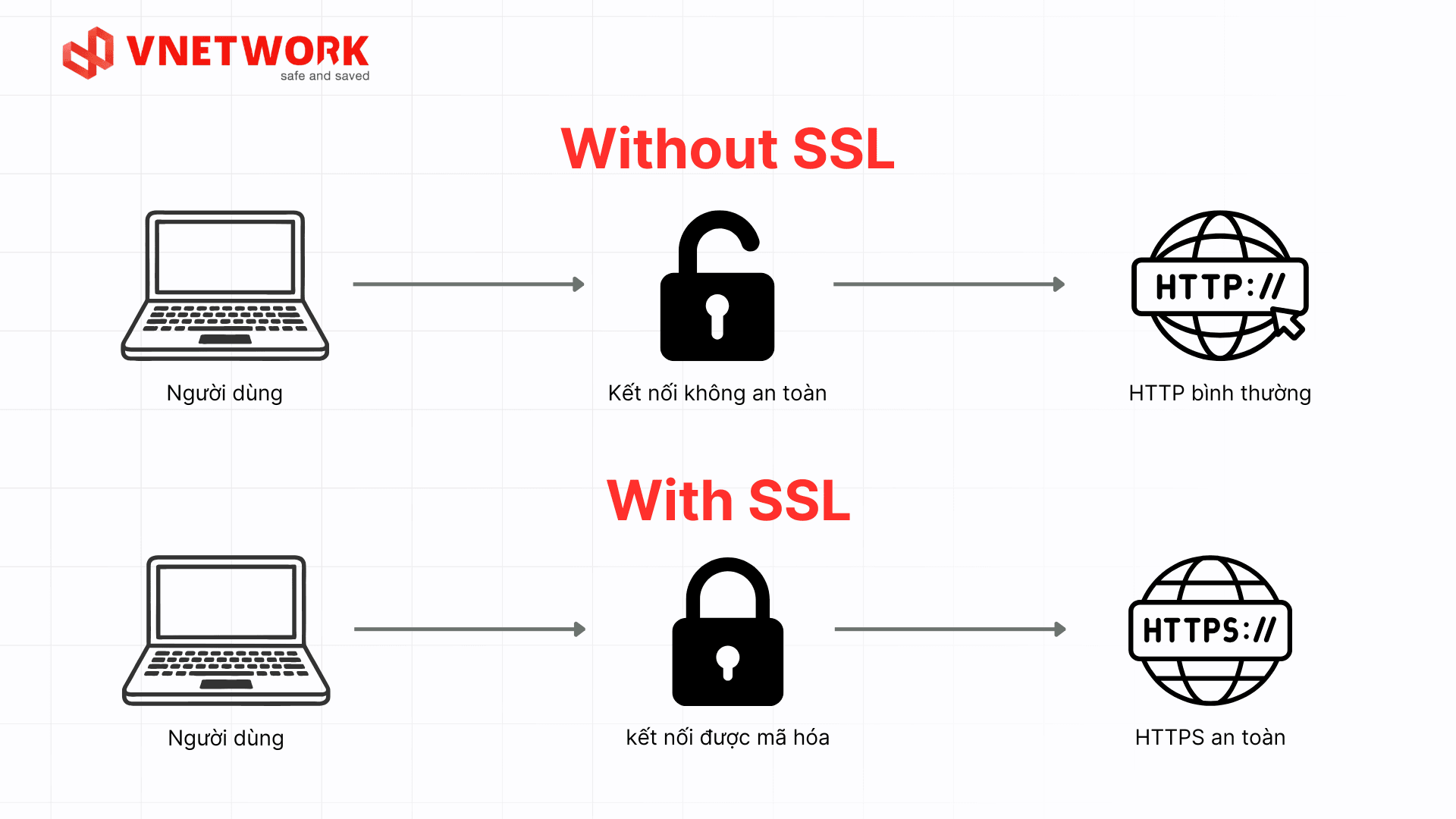
SSL (Secure Sockets Layer) is an internet security protocol that encrypts data transmitted between a user’s browser and a website’s server. SSL ensures that every piece of exchanged information, such as personal details, payment card data, and other sensitive data, is converted into encrypted strings that only the receiving server can decrypt. As a result, even if the data is intercepted in transit, attackers cannot read its original content.
Technically, the protocol most widely used today is TLS (Transport Layer Security), the successor and improved version of SSL. The term SSL is still widely used across the tech industry to refer to website connection encryption technology in general, even when the underlying system actually runs on TLS.
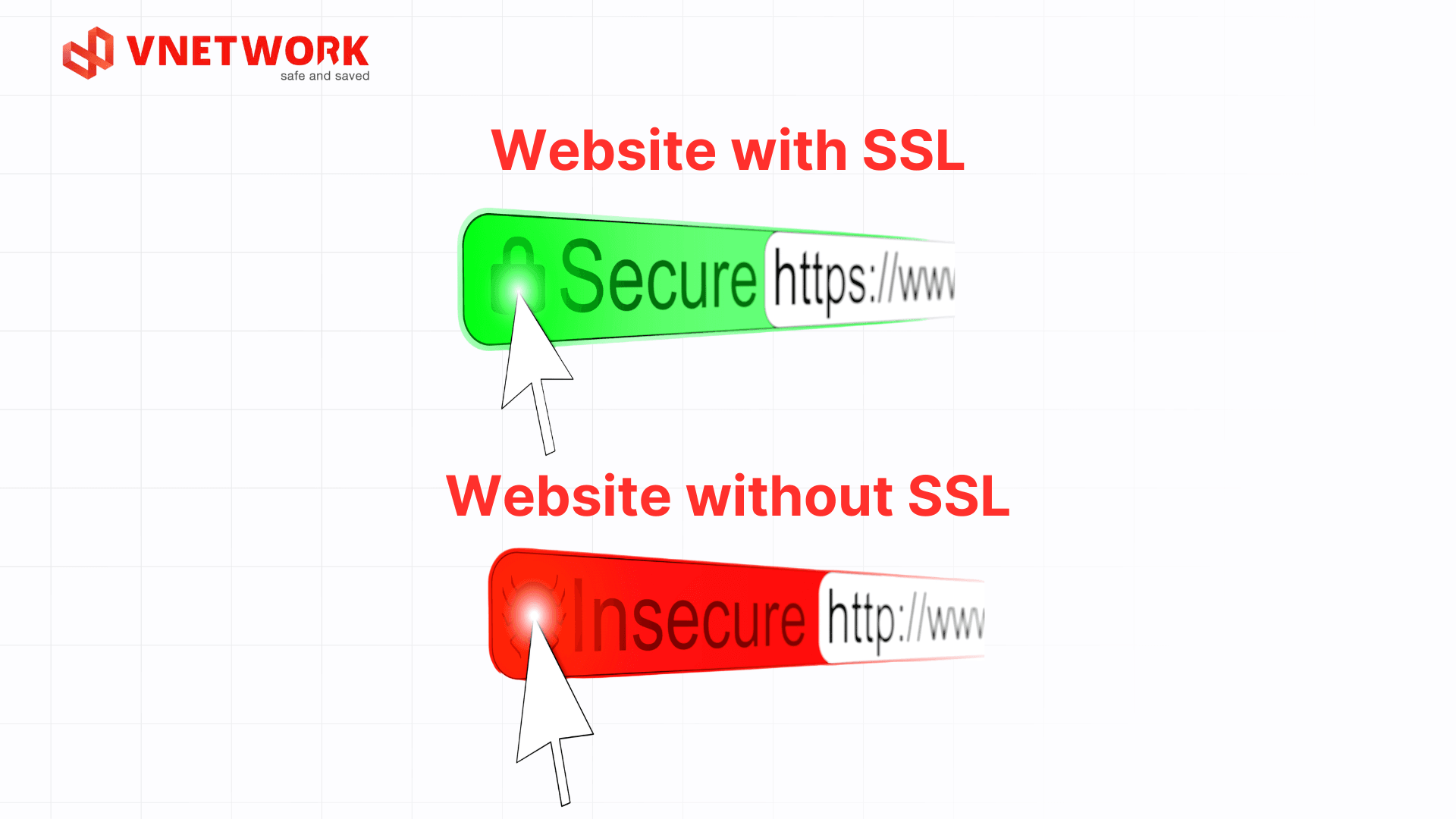
SSL certificates are issued by Certificate Authorities (CAs) after verifying domain ownership or business information. When a website has a valid SSL certificate installed, the browser displays a padlock icon along with an address that starts with “https://” instead of “http://”.
SSL secures data by establishing an encrypted connection between the browser and the website’s server. This process consists of two main stages: the SSL handshake, which authenticates both parties and negotiates the encryption keys, followed by data encryption, which protects all information exchanged throughout the session.
This is a sequence of steps that takes place within a few milliseconds as soon as the browser connects to the website, allowing both parties to authenticate each other and agree on an encryption method before exchanging actual data. The full process includes the following steps:
SSL uses two forms of encryption at two different stages of a connection session. Asymmetric encryption, which uses a public and private key pair, is applied during the SSL handshake to securely exchange the session key.
Once the session key is established, SSL switches to symmetric encryption, where the browser and server share a single session key to encrypt and decrypt data. Symmetric encryption processes significantly faster than asymmetric encryption, keeping the entire session running smoothly while remaining secure.
The CA/Browser Forum has approved a gradual reduction of certificate lifespans from the current 398 days down to 47 days, divided into three specific milestones:
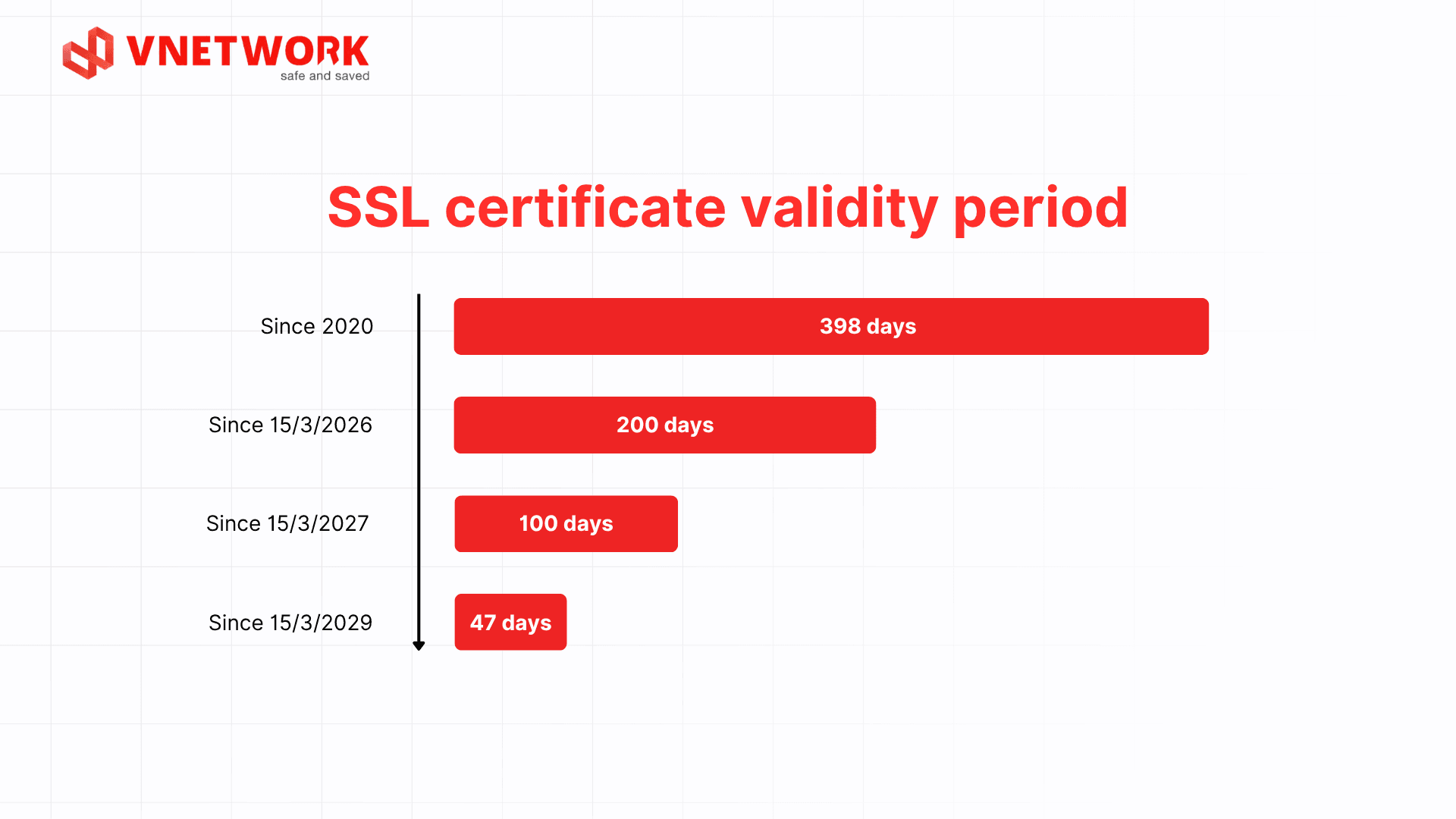
Shortening SSL certificate lifespans helps reduce the risk of exposure if an encryption key is compromised or a security vulnerability emerges. At the same time, this trend is pushing businesses toward automated SSL management and renewal, replacing manual renewal processes that are time consuming and prone to error.
When an SSL certificate expires without timely renewal, the browser immediately displays an invalid certificate warning, preventing users from accessing the website normally. Businesses should therefore set up reminders or use automated monitoring tools to ensure SSL certificates are always renewed before their expiration date, avoiding disruption to website operations.
Without an SSL certificate, data transmitted over the internet travels as plain text, making it easy for attackers to intercept and read using man in the middle techniques. This is also a common cause of data breaches, exposing customer information, login credentials, or payment data. SSL certificates encrypt all of this data, rendering anything intercepted in transit meaningless to attackers.
Search engines such as Google, Bing, and Alexa give higher rankings to websites that use the HTTPS protocol, meaning sites secured with SSL. This factor sits alongside page load speed and user experience among the criteria used to evaluate a website’s trustworthiness and safety. A website that invests heavily in SEO but lacks SSL will struggle to compete for search result positions against sites that are fully secured.
SSL helps protect websites from attacks such as Man in the Middle (MITM) attacks. When an intruder attempts to intercept information exchanged between server and browser, SSL acts as a strong barrier that blocks those attacks.
The padlock icon and the https:// address are visual cues that help users recognize a trustworthy website before they submit personal information. For industries that demand high security, such as e-commerce or financial services, a website without an SSL certificate not only makes customers hesitant but also creates an opening for scammers to build phishing pages designed to trick users into entering sensitive information.
SSL certificates are classified according to two main criteria: the level of identity verification for the website owner and the scope of domains protected. Understanding each type helps businesses choose a certificate that fits their scale and budget.
By domain scope, SSL certificates fall into three groups:
By verification level, SSL certificates fall into three groups:
Free and paid SSL certificates both perform the same basic data encryption function, but they differ in the following areas:
| Criteria | Free SSL | Paid SSL |
| Verification level | DV SSL only, verifying domain ownership | Multiple verification levels, from DV to OV and EV |
| Insurance coverage | No insurance policy | Usually includes financial insurance or compensation if a certificate related incident occurs |
| Technical support | Mostly self service through documentation or community help | Direct technical support from the provider when issues arise |
| Validity period | 90 days, typically auto renewed via ACME | 1 to 2 years |
| Trust level | Good, trusted by most browsers | Absolute, trusted by both old and new browsers and operating systems |
Beyond installing SSL, businesses in Vietnam that process customers’ personal data should also comply with the Personal Data Protection Law, which requires appropriate technical measures to protect information during collection and processing.
Before choosing a certificate type, businesses need to determine their website’s scale, industry, and the sensitivity of their data. For small websites, news pages, or personal blogs, for example, a DV SSL certificate is enough to cover basic encryption needs. For larger websites such as e commerce platforms handling credit card payments, on the other hand, businesses should upgrade to OV SSL or EV SSL to verify their legal entity and maximize customer safety.
Many businesses now choose to integrate SSL directly at the CDN layer instead of configuring it separately on each origin server, which reduces latency during certificate validation and simplifies renewal management. This is also part of a comprehensive cloud security strategy that many organizations are adopting as they move their infrastructure to the cloud.
Without an SSL certificate, all data exchanged between users and the server travels as plain text, creating numerous security gaps and causing long term harm to a business’s operations.
Without SSL, data such as usernames, passwords, and payment card details can be intercepted in transit through man in the middle attacks. This is a common cause of data leaks, resulting in stolen customer information being used for malicious purposes. For websites that collect personal information or process payment transactions, the consequences of a data leak can also extend to legal liability under personal data protection regulations.
When visiting a website without an SSL certificate, modern browsers such as Chrome or Firefox display a "Not secure" warning right on the address bar. This warning causes most users to leave the site immediately, especially when they are about to enter personal information or make a payment, particularly on e-commerce or financial service websites.
Without a padlock icon or an https:// address to check against, users find it hard to tell an official website apart from a fake one set up to steal login credentials or payment data. This not only harms users but also seriously damages the brand reputation of the business that owns the original website.
Google includes HTTPS among the criteria it uses to evaluate a website’s trustworthiness and safety when ranking search results. A website without an SSL certificate will therefore struggle to compete for search result positions against HTTPS enabled sites, even with equally strong content. For businesses investing heavily in SEO, the lack of SSL can undermine the effectiveness of all their content optimization efforts.
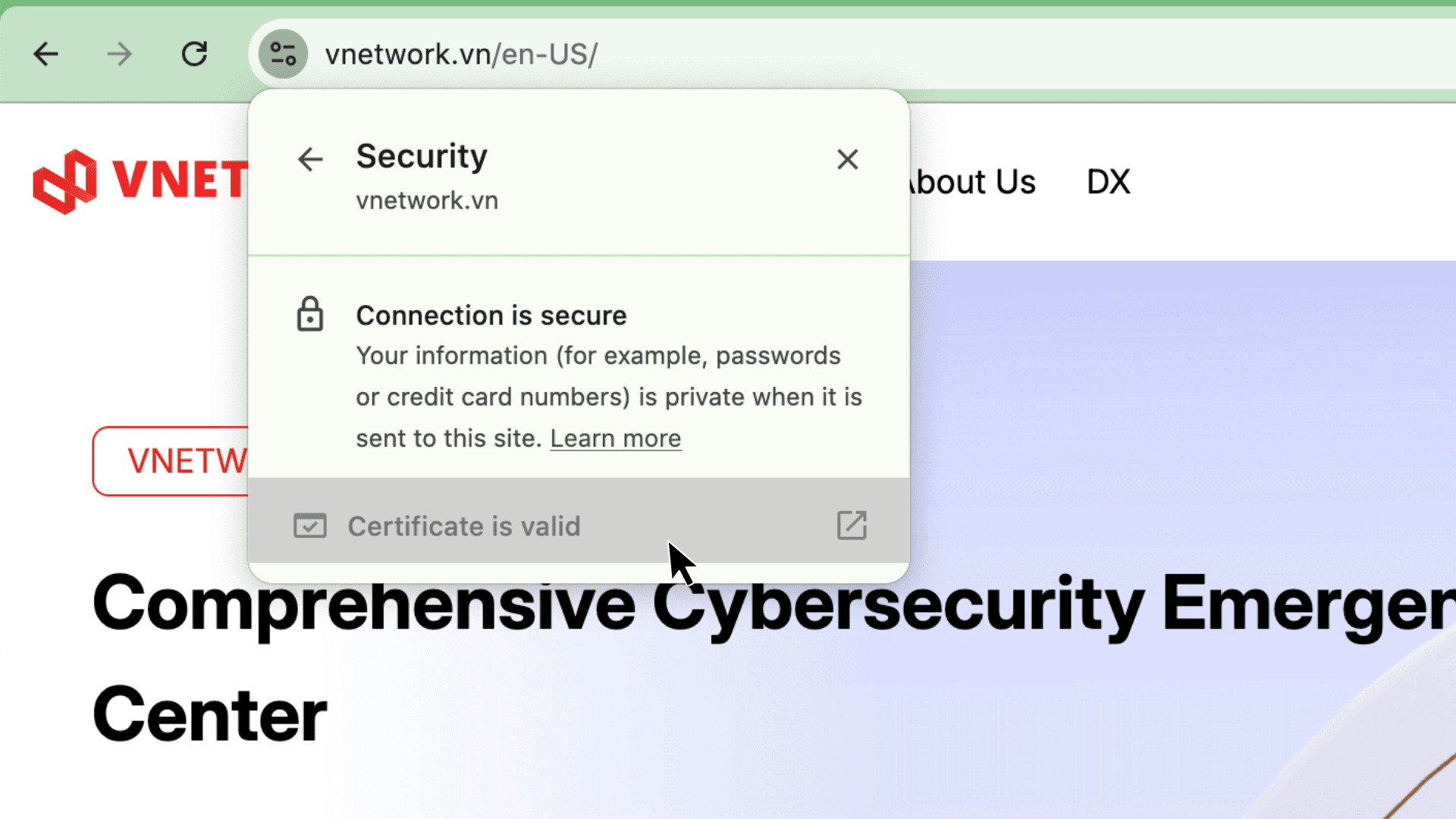
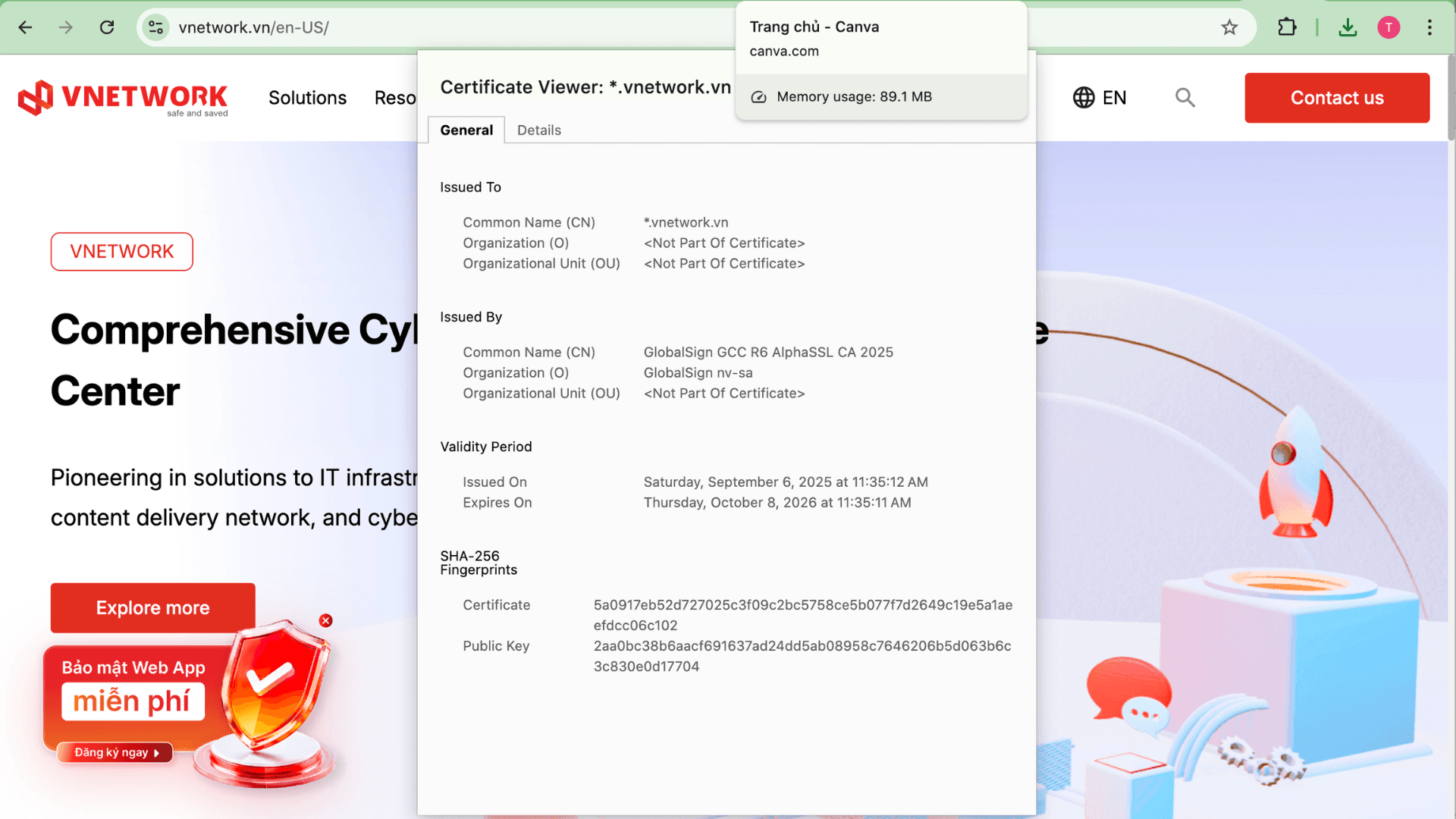
The simplest way to check whether a website has an SSL certificate is to look directly at the browser’s address bar. If the website shows a padlock icon right before the URL, that means the site is secured with an SSL certificate. If, instead, the browser shows a triangular warning icon with the words "Not secure," the site does not have an SSL certificate installed.
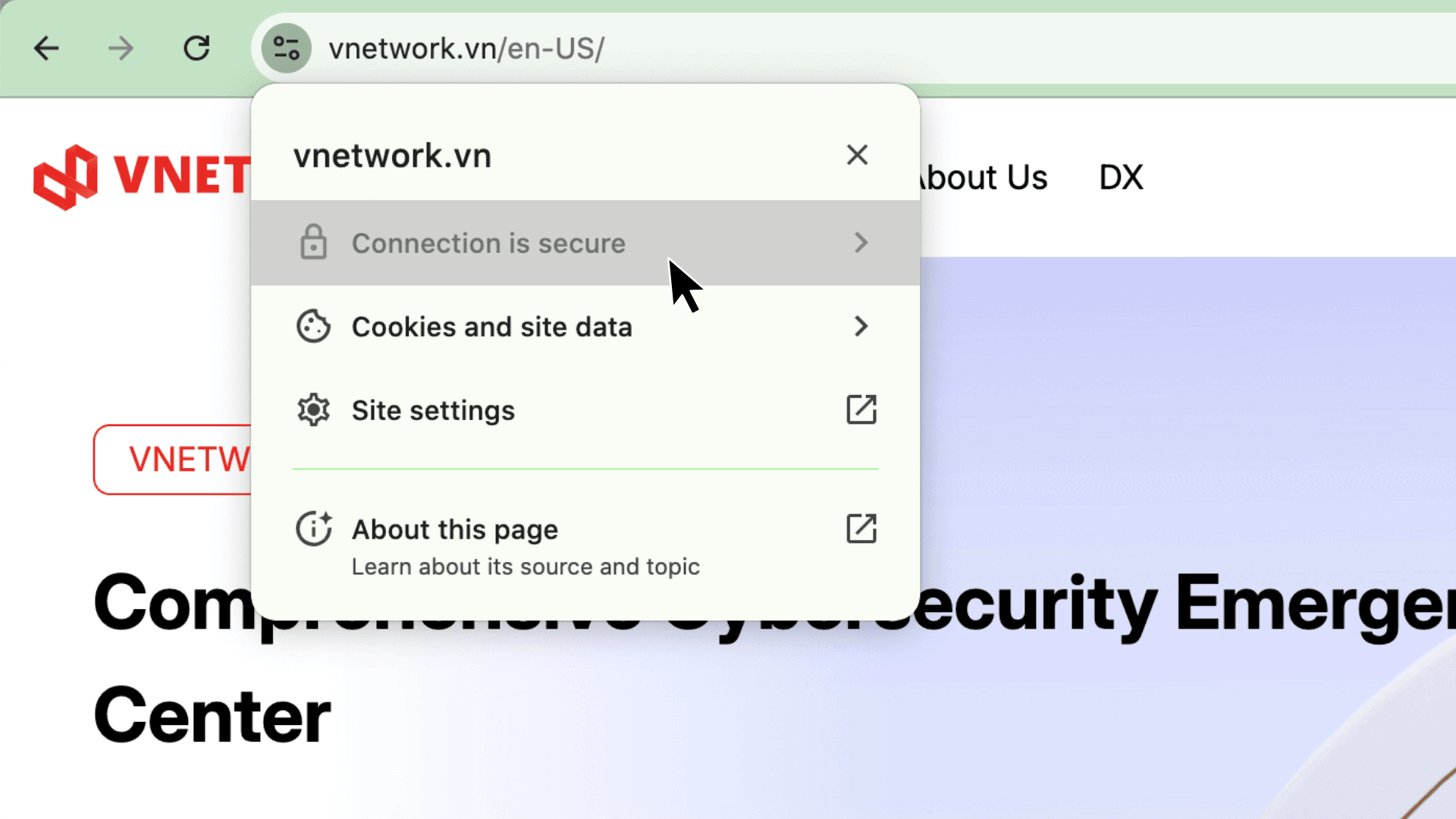
Beyond checking the icon, Chrome users can view a website’s SSL certificate details in just a few simple steps:
SSL is no longer an advanced option; it is a mandatory standard for every website, from a simple company profile page to a large scale e-commerce platform. SSL certificates encrypt data, improve search rankings, and build customer trust from the very first visit.

VNCDN, a leading content delivery solution in Asia, not only delivers content quickly and efficiently but also keeps information secure with built in SSL/TLS encryption. Contact VNETWORK for advice on the right SSL deployment plan. Hotline: (028) 7306 8789 or email: contact@vnetwork.vn.
SSL and TLS are both protocols that encrypt the connection between a browser and a website’s server, with TLS being the successor and improved version of SSL. In practice, most websites today run on TLS, but the term SSL is still commonly used to refer to this encryption technology as a whole.
Yes. Regardless of traffic volume, any website with a login form, contact form, or that collects user information needs an SSL certificate to protect data and avoid being flagged with a browser "not secure" warning.
Free SSL certificates still provide effective basic level encryption, suitable for personal websites or blogs. However, business websites or those handling payment transactions should consider OV or EV certificates to meet higher identity verification requirements.
The simplest way is to check the browser’s address bar. If the website shows a padlock icon along with an address starting with https://, it has a valid SSL certificate installed.
The most common validity period for SSL certificates today is one year. Businesses need to track and renew certificates on time to avoid disruptions to secure connections or expired certificate warnings from browsers.