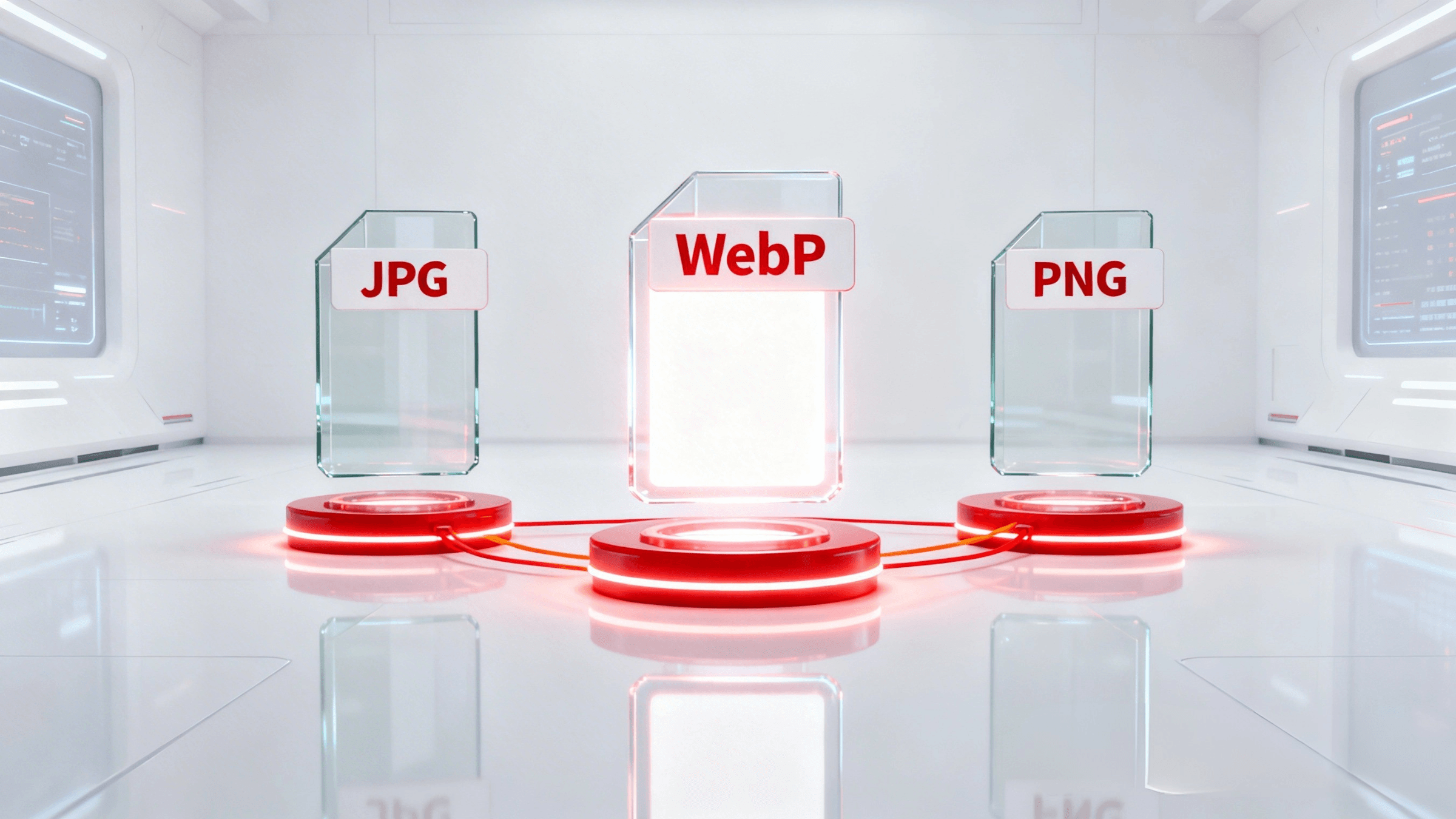
1. What is WebP?
WebP is a modern image format developed by Google, first introduced in 2010 with the goal of replacing traditional image formats on the web. WebP stands out from JPEG and PNG through its ability to compress images more efficiently while maintaining high visual quality.
WebP images are designed to serve a wide range of modern website needs, from product photography and article illustrations to interface elements that require transparent backgrounds.
Lossy compression, lossless compression, alpha channel, and animation
WebP supports two primary compression modes. Lossy compression works similarly to JPEG but produces smaller file sizes at the same quality level, making it ideal for photographs and complex images. Lossless compression works like PNG but also yields smaller file sizes, making it suitable for graphics, logos, and images that require high precision.
In addition, WebP supports an alpha channel for transparency effects similar to PNG, and also supports animation like GIF but with significantly smaller file sizes. This combination makes WebP the most versatile of the three formats.
Pros and cons of WebP
Key advantages of WebP:
- Smaller file sizes than JPEG and PNG at equivalent image quality
- Supports both lossy and lossless compression in a single format
- Supports transparent backgrounds (alpha channel) and animation
- Improves page load speed, helping boost Core Web Vitals scores and SEO rankings
Drawbacks to be aware of:
- Not supported by some older browsers and image editing software
- Requires fallback configuration when used on websites to ensure compatibility
- Not suitable for print production or professional archival purposes that require repeated editing
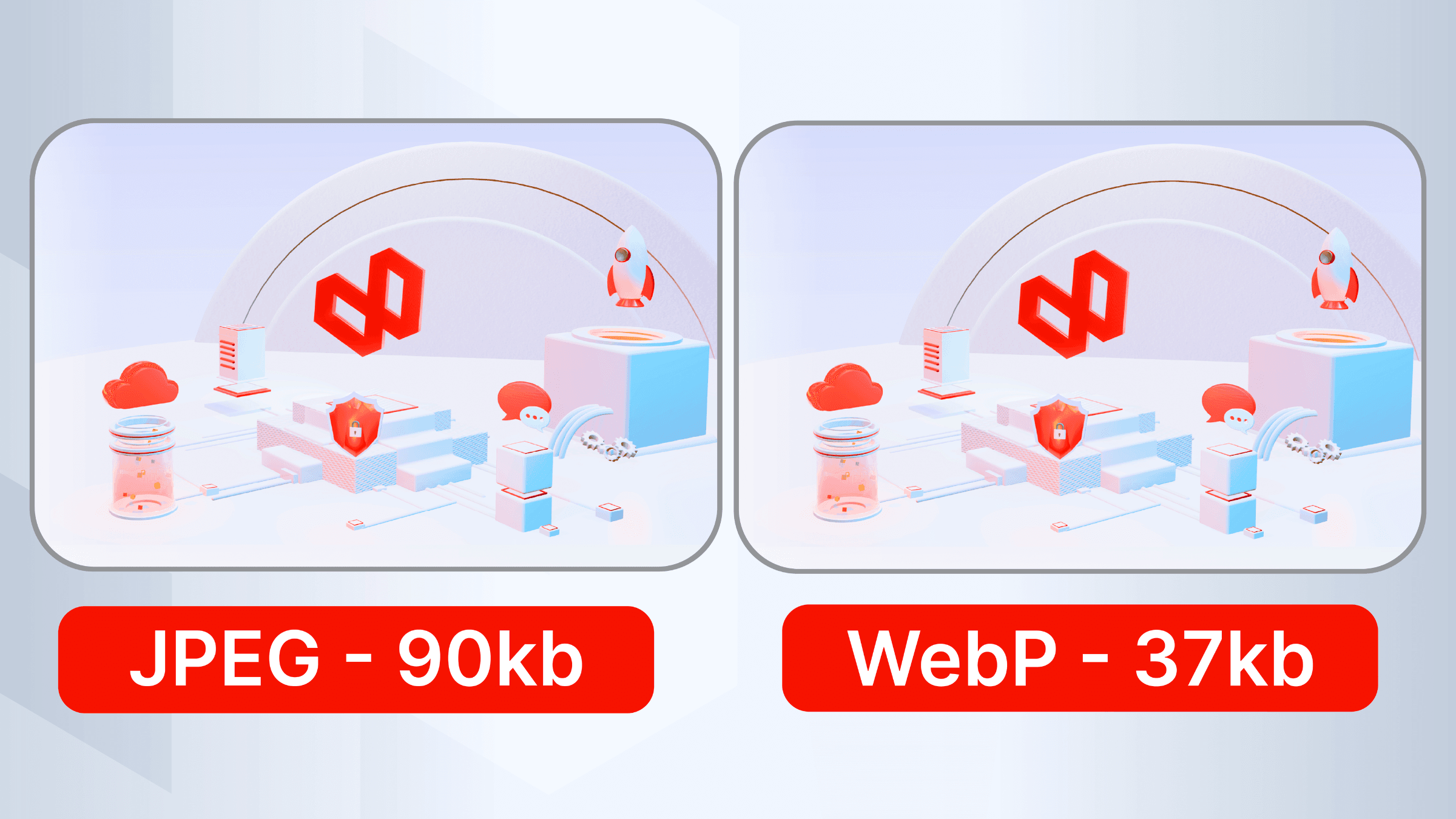
2. What is JPEG? Is JPG different from JPEG?
JPEG (Joint Photographic Experts Group) is an image compression standard developed in the early 1990s, optimized for photographs with complex color ranges and smooth gradients. It is the format with the highest compression ratio and widest compatibility, supported by every browser, operating system, and image editing software available today.
A common question is what JPG is and whether it differs from JPEG. The answer is that JPG and JPEG are technically identical. The only difference lies in the file extension: older Windows systems limited extensions to 3 characters, so they used .jpg, while Unix and Linux systems used .jpeg. Both formats use the same compression algorithm and produce exactly the same results.
Pros and cons of JPEG/JPG
Advantages:
- Compatible with all browsers, devices, and software
- Smaller file sizes than PNG for real-world photographs
- Flexible compression level adjustment to balance quality and file size
Disadvantages:
- Does not support transparent backgrounds (alpha channel)
- Quality degrades with each save due to cumulative lossy compression
- Compression artifacts appear at high compression levels
3. What is PNG?
PNG (Portable Network Graphics) is an image format that uses lossless compression, meaning all image data is fully preserved after compression. Unlike JPEG, PNG does not degrade in quality no matter how many times it is saved, which is why it is preferred in graphic design and for archiving source files.
Many people wonder what a PNG file is and why it is so prevalent in web design. PNG was created to replace the older GIF format, offering richer color display and alpha channel support that allows for fully or partially transparent elements.
Pros and cons of PNG
Advantages:
- Lossless compression with no quality loss after multiple saves
- Supports full and partial transparency via the alpha channel
- Ideal for logos, icons, and graphics that require precise color accuracy
- Universally compatible with all browsers and software
Disadvantages:
- Larger file sizes than JPEG and WebP for the same image
- Not suitable for landscape photography or standard product images, as it wastes bandwidth
- Does not support animation
4. Comparison table: WebP, JPEG, and PNG
The table below summarizes the differences between the three formats across six key criteria, helping you quickly identify the right choice. This is the foundation for understanding practical comparisons such as PNG vs JPG, JPG vs PNG, or JPEG vs PNG:
| Criteria | WebP | JPEG/JPG | PNG |
| File size | Smallest | Medium | Largest |
| Quality | High (lossy + lossless) | Good (lossy) | Perfect (lossless) |
| Transparency (alpha) | Supported | Not supported | Supported |
| Animation | Supported | Not supported | Not supported |
| Browser compatibility | Modern browsers | Universal | Universal |
| Best use case | Web images, thumbnails, banners | Photos, product images | Logos, icons, vector graphics |
5. How to convert image formats: WebP to JPEG and JPEG to WebP
Converting between image formats is a common need, especially when receiving images from partners or optimizing images for the web. Depending on the scale and purpose, there are three groups of solutions to consider:
Quick conversion with free online tools
For converting a few files at a time, free online tools are the most convenient option, with no software installation required:
- Convertio (convertio.co): supports two-way conversion between WebP and JPEG, drag-and-drop file upload, fast processing
- FreeConvert (freeconvert.com): supports batch conversion of multiple files simultaneously, with adjustable output quality settings
- Ezgif (ezgif.com): suitable for both static and animated WebP, simple interface, no account registration required
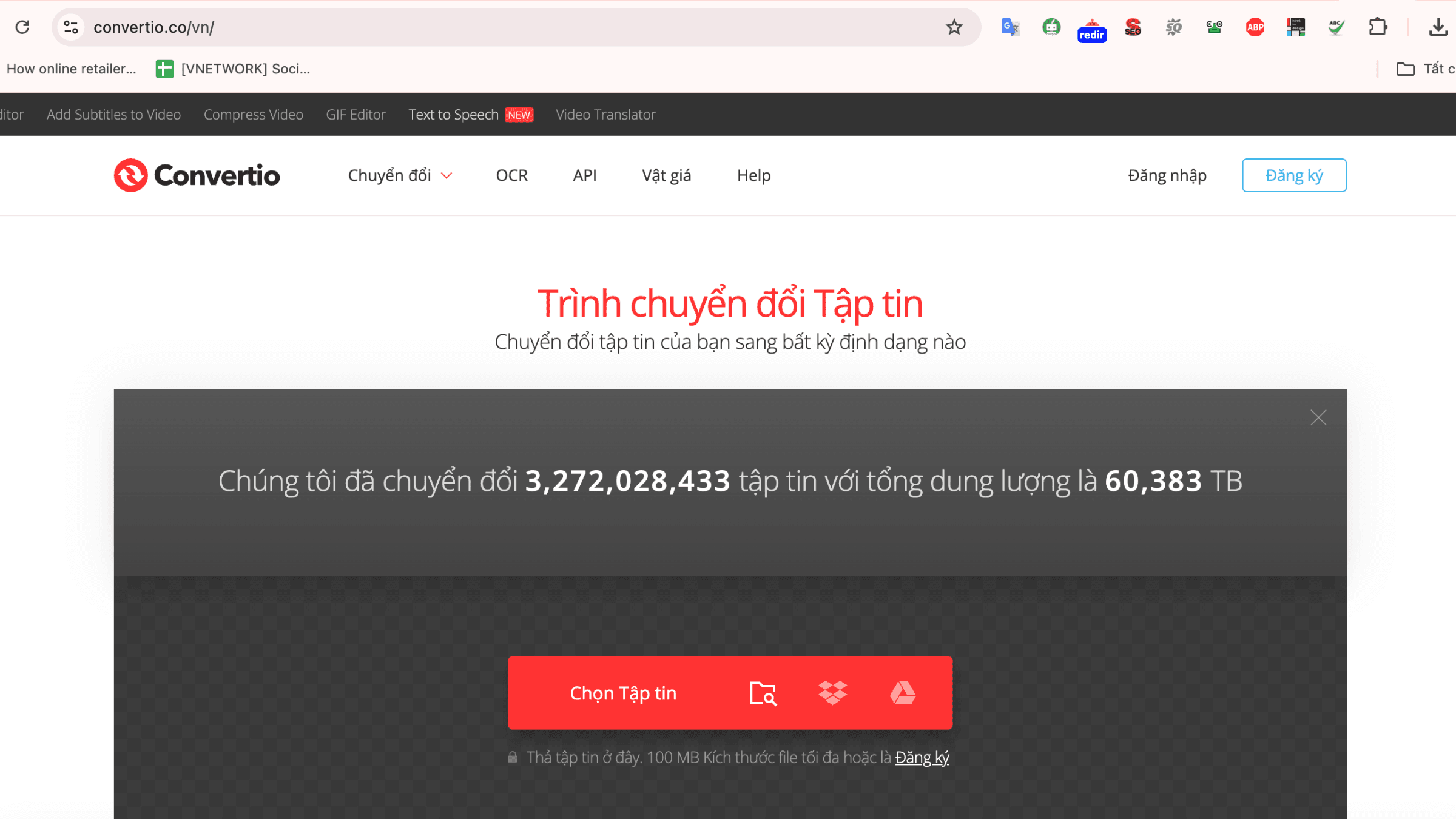
Conversion with desktop software
When batch processing is needed or the task is part of a regular workflow, image editing software such as GIMP (free) supports an Export As feature to select the output format. For development teams looking to integrate conversion into an automated pipeline, image processing libraries such as Sharp (Node.js) or Pillow (Python) are well-suited options.
Automation at the distribution layer
For enterprise websites with large volumes of images, the most efficient solution is using a CDN with automatic format conversion capabilities. The system detects each user's browser and serves the appropriate format without requiring manual intervention on individual image files.
6. When to use which format? A quick selection guide
| Use case | Recommended format | Reason |
| Article thumbnails, banners, hero images | WebP with JPEG fallback | WebP gives the smallest file size; JPEG as fallback for older browsers |
| Product images (solid or white background) | WebP or JPEG | No transparency needed; prioritize small file size and fast loading |
| Logos, icons, vector graphics with transparent backgrounds | PNG or WebP | Requires alpha channel; PNG has wider compatibility, WebP is smaller |
| Images requiring frequent editing or archival storage | PNG | Lossless compression; no quality loss after repeated saves |
| Lightweight web animation | WebP | Supports animation like GIF but with significantly smaller file size |
7. VNCDN: Automate WebP delivery with VNCDN
For websites with thousands of images, manually converting each file to WebP is not feasible. VNETWORK has developed a WebP Delivery feature integrated into the VNCDN solution, enabling full automation of this process.
When WebP Delivery is enabled on VNCDN, the system automatically checks browser compatibility with each request. If the browser supports WebP, VNCDN delivers the optimized WebP image. If not, the system automatically falls back to the original format. The entire process is transparent and requires no changes to any line of code on your website.
This solution is particularly well-suited for e-commerce, media, and content platforms with high-volume cloud storage and image distribution needs, where page load speed directly impacts conversion rates and revenue.
VNCDN currently serves the content delivery infrastructure for many large enterprises in Vietnam, including VTV, THVL, TikTok, and VnExpress, with over 2,300 PoPs across more than 146 countries, ensuring content is delivered from the nearest location to each user. If your website is affected by heavy images, slow response times, or low Core Web Vitals scores, WebP Delivery is just one of the many optimization features that VNCDN provides.
Contact the VNETWORK team for personalized advice on your infrastructure:
- Hotline: (028) 7306 8789
- Email: contact@vnetwork.vn
- Explore VNCDN solutions: here
FAQ
1. What is WebP?
WebP is a modern image format developed by Google that supports both lossy (with data loss) and lossless (without data loss) compression. Compared to JPEG and PNG, WebP produces significantly smaller file sizes while maintaining good image quality. WebP also supports an alpha channel for transparency and animation, making it a comprehensive choice for modern websites.
2. Are JPG and JPEG different?
JPG and JPEG are technically identical. Both refer to the same image compression standard developed by the Joint Photographic Experts Group. The only difference is the file extension: older Windows systems limited extensions to 3 characters, so they used .jpg, while Unix/Linux systems used .jpeg. Both formats produce exactly the same results when opened or edited.
3. What is PNG and how does it differ from JPG?
PNG (Portable Network Graphics) is an image format that uses lossless compression, meaning no data is lost during the compression process. The most important difference from JPG is that PNG supports transparent backgrounds through the alpha channel and does not degrade in quality after repeated saves. The drawback is that PNG files are typically larger than JPG files, making them unsuitable for standard landscape or product photography.
4. How do I convert WebP to JPEG?
WebP can be converted to JPEG in several ways: using image editing software with an Export/Save As feature, using an online conversion tool, or using an image processing library in your programming environment. For businesses with large numbers of images, the most efficient solution is using a CDN with automatic format conversion capabilities, which serves WebP to supported browsers and automatically falls back to JPEG or PNG for older ones.
5. Should I use PNG or JPG for product images?
For product images with a solid or white background, JPG or WebP is the better choice because they produce smaller file sizes and faster load times. PNG should only be used when the product image requires a transparent background, such as when you want to place the product on different backgrounds within a website interface. For e-commerce websites looking to optimize speed, WebP is the most recommended format.
6. Which image format is best for SEO?
WebP is currently the most recommended format for SEO because its small file size improves page load speed, which in turn boosts Core Web Vitals scores used by search engines to evaluate rankings. Regardless of the format used, images should have descriptive alt text and keyword-relevant file names to be indexed effectively.
7. Does WebP work in all browsers?
WebP is supported by most modern browsers including Chrome, Firefox, Edge, and Safari version 14 and above. Some very old browsers do not support WebP. The standard solution is to use the HTML picture element combined with source attributes to provide JPEG or PNG fallbacks, ensuring images display correctly across all devices and browsers.